
“Crawled, Currently Not Indexed”: What It Means and How to Fix It
“Crawled – currently not indexed” is a Google Search Console status meaning Googlebot fetched the page but chose not to add it to the index. It is not a penalty, and many URLs can safely stay out. For pages that matter, confirm it with URL Inspection, then fix the usual causes: thin or duplicate content, weak internal links or rendering.
What does “Crawled – currently not indexed” mean?
It means Google visited the page and left it out of its index, so the page cannot appear in search results for now. Google’s Page indexing report help page puts it in one line: “The page was crawled by Google but not indexed.” You will find it in Search Console under Indexing > Pages, in the table of reasons why pages are not indexed.
The word that matters is “currently”. This is a decision about the page as Google last saw it, and it can change. If you want the wider picture, our guide to how search engines crawl, index and rank content shows where this step sits. Our post on how search engines store and organise information explains what the index itself is.
Is it a problem? When to leave it and when to act
Often it is not. It only becomes a problem when a page you need people to find is on the list. So ask one question of each URL: would you lose anything if nobody could find this page in Google?
Google’s own goal for you is narrow. The report says, “Your goal is to get the canonical version of every important page indexed.” It also says you should not expect every URL on your site to be indexed.
|
Usually fine to leave out |
Usually worth fixing |
|
RSS feed URLs |
Service pages |
|
Paginated listing pages |
Main category pages |
|
Filter, sort and tracking parameter URLs |
Best-selling product pages |
|
Internal search results |
Guides you want to rank |
|
Image attachment pages |
Location pages with unique content |
If the whole list falls in the left column, you can stop here. If any of it falls in the right column, the three steps below are for you.
What Google’s documentation says now, and the old advice to stop following
Google calls this a common message for many sites, one that “doesn’t necessarily indicate an issue that needs attention”. For important pages, it points you to the URL Inspection tool. If you have fully checked your site and suspect a complete, site-wide indexing bug, it offers a “report an indexing issue” form.
Three pieces of old or wrong advice still circulate:
- “There is no need to resubmit.” Older versions of Google’s note said something like this. That line has been retired from the current page, though forum answers still repeat it. Asking for a recrawl after a real fix is fine.
- “Keep clicking Request indexing.” Google’s recrawl guide says that requesting a recrawl several times for the same URL “won’t get it crawled any faster”.
- “Your robots.txt or noindex tag is the cause.” A URL blocked by robots.txt or carrying a noindex rule is reported under its own reason. Step 3 covers this.
Crawled vs Discovered vs the other “not indexed” reasons
Crawled means Google has seen your page and passed on it for now. Discovered means Google knows the URL but has not fetched it yet. That difference changes where you look first: at the page itself for Crawled, and at crawling for Discovered.
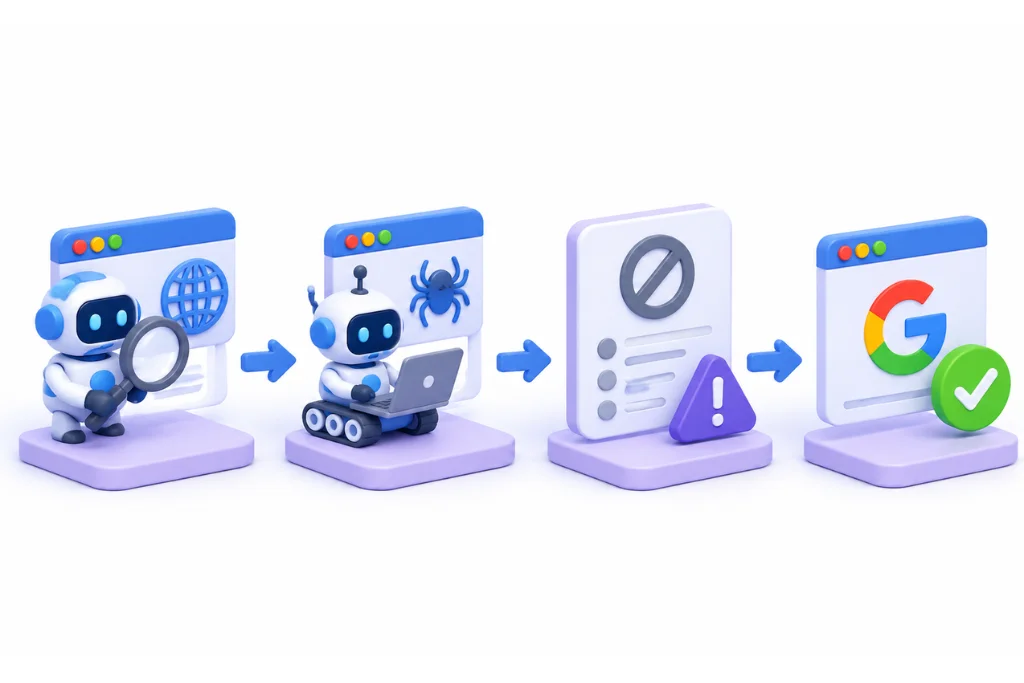
|
Reason in the report |
What it means |
First check |
|
Crawled – currently not indexed |
Fetched, but not indexed |
Is the page worth indexing? |
|
Discovered – currently not indexed |
Found, but not crawled yet, and the last crawl date is empty |
Server load and crawl paths |
|
Duplicate without user-selected canonical |
Google treats it as a duplicate and picked a canonical itself |
Which URL did Google choose? |
|
Soft 404 |
Page says “not found” but does not return a 404 code |
Return a real 404 or add content |
|
Blocked by robots.txt |
Your robots.txt file blocks the page |
Is the block intended? |
Step 1: confirm the status is real
Check one URL at a time before you change anything, because the report only tells you part of the story. The inspection result shows you what Google saw and when it saw it.
Work through these checks in order:
- Inspect the URL. Paste it into the URL Inspection tool. If it says “URL is on Google”, the page is indexed and eligible to appear, so you can move on. Google notes this does not guarantee the page is showing in results.
- Read the last crawl date. If it is older than your latest edit, Google’s decision was based on the old version.
- Check the canonical. Compare the user-declared canonical with the Google-selected canonical. If Google chose a different URL, you are likely dealing with a duplicate.
- Run the live test. Click Test live URL, then look at Crawl allowed?, Page fetch and Indexing allowed? under Availability. A clean result is useful, though Google says a positive result is not a guarantee of appearing in search.
- Search for the page. Search site:yourdomain.com with a distinct sentence from the page in quotes. Treat this as a cross-check only, because Google says the site: operator “doesn’t necessarily return all the URLs that are indexed”.
Step 2: triage which URLs to fix first
Rank each group of URLs by two things: how much the page is worth to you, and how many similar URLs share its template. A problem on one template can affect hundreds of pages, so one fix there beats many single-page edits.
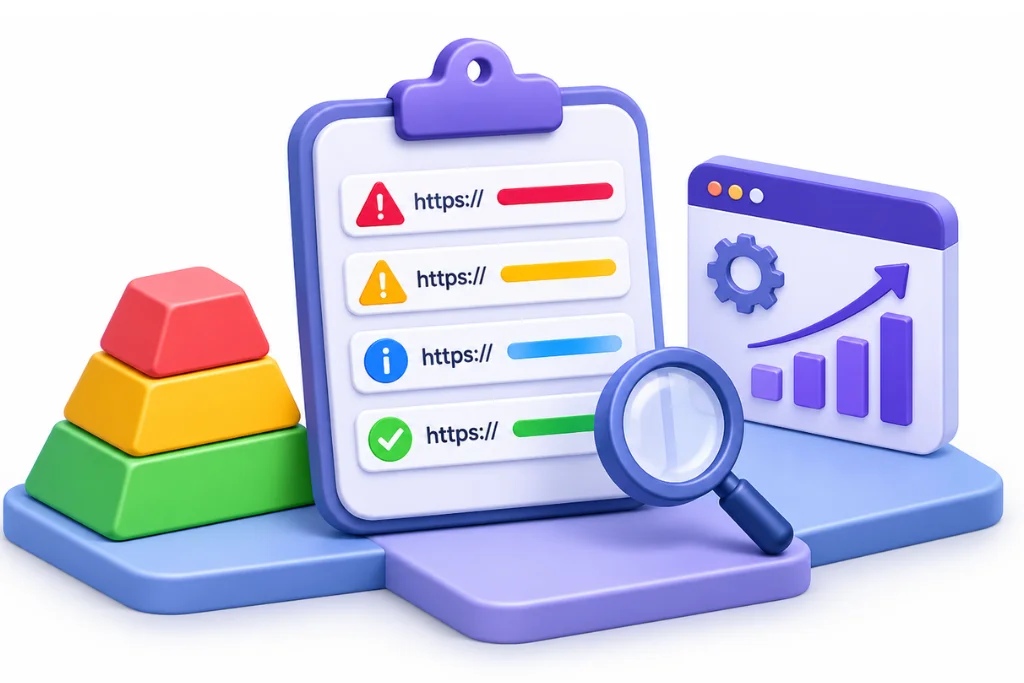
|
Page value |
Similar URLs |
What to do |
|
High |
Many |
Fix first, at template level |
|
High |
Few |
Fix next, page by page |
|
Low |
Many |
Clean up in bulk, by blocking or merging |
|
Low |
Few |
Leave alone |
To judge value, ask whether the page earns leads or sales, had impressions in the past, or has other sites linking to it. Take a Dubai store with AED and emirate filters as a generic case. Its categories are the high-value group, and its filter URLs are the low-value bulk group.
How to see more than 1,000 URLs
Large sites will hit a limit here. Google says the example list in the report is limited to 1,000 rows and is not guaranteed to show every URL in a given status.
There are two practical ways around it:
- Sitemap filters. Submit a separate sitemap for each section or template, such as services, products and blog. Then filter the report by each sitemap, so each group gets its own view.
- The URL Inspection API. A developer can check URLs in bulk. Google’s usage limits allow 2,000 queries per day and 600 per minute for each site, so use it on your priority groups first.
Step 3: find the cause
Google does not tell you why it passed on a page, so you work it out by elimination. Its guide to how Search works is plain on the starting point: “Indexing isn’t guaranteed; not every page that Google processes will be indexed.” The seven causes below come from common SEO practice, not from an official Google list.
Commodity or thin content
The page says what many other pages already say, or says very little. Google’s people-first content guidance offers a good test: “Does the content provide original information, reporting, research, or analysis?” If the honest answer is no, this is your likely cause. How the text was written is a separate question, since Google says it focuses on the quality of content, not how it is produced.
Near-duplicates and canonical choice
Google groups pages with very similar main content and picks one URL as canonical. Your rel=canonical tag is a hint, and Google may choose a different page. Service pages that only swap a city name are a typical example.
Search intent mismatch
The page may be fine and still not fit what people want from that topic. A service sales page aimed at a search like “what is crawling” is one example: people want a definition and get a pitch.
Weak internal links and orphan pages
Google’s link guidance says, “Every page you care about should have a link from at least one other page on your site.” A page listed only in your sitemap fails that test, so add links from related pages.
Soft 404s and unavailable pages
Clear “not found” pages have their own Soft 404 reason in the report. Near-empty pages, or pages that say an item is gone and offer nothing else, are a different case. In our reading they can end up in this status as a form of thin content, though Google does not state this directly.
JavaScript rendering
If your main content only appears after JavaScript runs, Google may not have seen what you see. Google’s JavaScript SEO basics says, “If the content isn’t visible in the rendered HTML, Google won’t be able to index it.”
The test is simple. In URL Inspection, run the live test and open View tested page. Look at the screenshot, then search the HTML for a sentence from your main content. Compare that with the live page, and check the console output and loaded resources for failures.
It is worth running on any JavaScript build. In Google Trends for the UAE, Vercel and Netlify were among the rising searches related to “search console” in the 12 months to 1 November 2026. For background, read our posts on rendered HTML vs source HTML and JavaScript SEO.
Previously indexed pages that dropped
This is the more worrying case for an established site. Indexing Insight documents how pages that were once indexed can move into this status after removal. To spot it, filter the Performance report by the URL and look for impressions that stopped. A page that used to earn impressions has already shown its value, so move it up your list.
Why robots.txt and noindex are not on this list
These URLs get their own reasons in the report. Google’s note does tell you to check “if you’ve blocked them from our crawlers”, so rule it out. Crawl allowed? and Indexing allowed? in URL Inspection answer that in seconds. If a block is really there, the fix is to remove it, and it is a separate problem from the one covered here.
How to fix each cause
Each cause has a matching action, and rewriting is only one of them. Sometimes the right fix is to merge the page, remove it or leave it alone, so match the action to the cause.
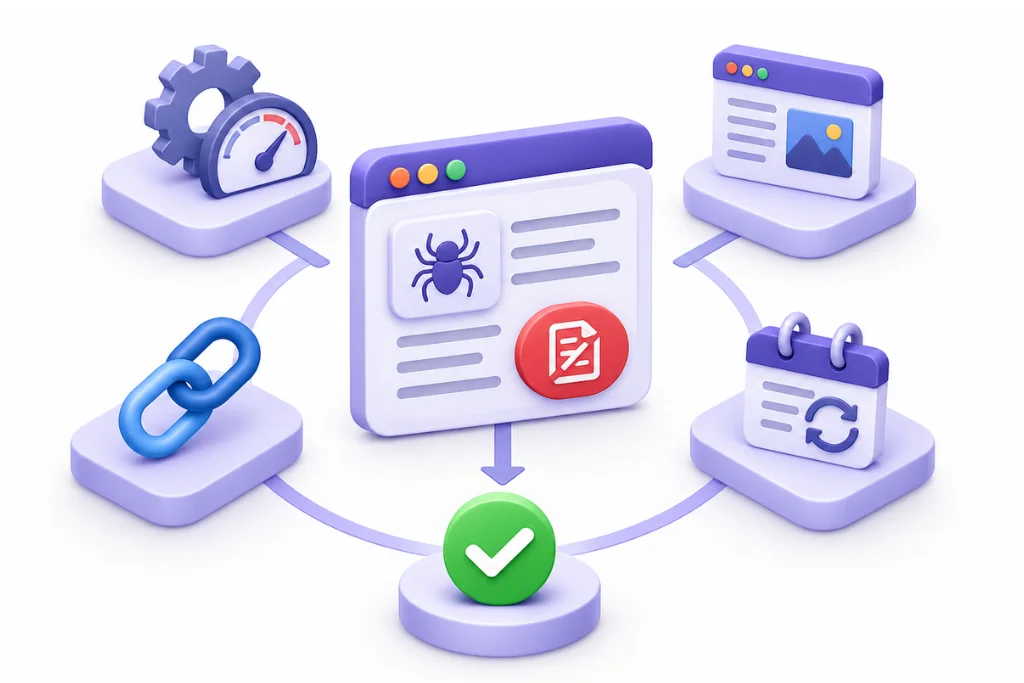
|
Cause |
What to do |
|
Commodity or thin content |
Add what others lack: your process, local detail, real examples and clear answers |
|
Near-duplicates |
Merge them into one strong page, redirect the rest, and make canonicals, links and sitemaps agree |
|
Intent mismatch |
Rework the page to fit what searchers want, or aim it at a different topic |
|
Weak internal links |
Link from related, well-visited pages, using anchors that describe the target |
|
Soft 404 or unavailable |
Return a real 404 for pages that are gone, or redirect to a true replacement |
|
JavaScript rendering |
Move main content into server-side or pre-rendered HTML, and unblock failed resources |
|
Dropped page |
Compare it with what it used to offer and refresh it, or merge it if newer pages replaced it |
|
Low-value URLs you do not need |
Noindex them, stop linking to them, or let them stay as they are |
A note on low-value URLs: leaving them in this status is a valid choice. Google does not expect every URL to be indexed, so spend your time on the top half of your triage table.
Request indexing and Validate fix: what they do and what they don’t
Both tools ask Google to look again after a real change. Neither one forces a page into the index, so use them once, after the fix.
Request indexing
Use this for a small number of priority pages. Google’s recrawl guide says crawling can take “a few days to a few weeks”. It also says a request does not guarantee inclusion “instantly or even at all”. The URL Inspection help page adds that there is a daily limit on requests, so submit a sitemap when you have many URLs.
Validate fix
Use this when you have fixed a group of pages. Google suggests validating with a sitemap of only your important pages, which keeps low-value URLs out of the result.
Validation moves through these states: Not started, Started, Looking good, Passed, N/A and Failed. Google says it typically takes up to about two weeks, and in some cases much longer.
A Failed result means a certain threshold of pages still had the issue after you clicked Validate. Google does not define that threshold. In our reading, because this status reflects Google’s choice, a genuine fix may still show as Failed if Google has not yet decided to index those URLs. Check the affected pages, then restart. A restart rechecks the Pending and Failed URLs.
How to confirm recovery
Do not rely on the status alone. Inspect a sample of the fixed URLs for “URL is on Google”, then filter the Performance report by those pages and watch for impressions. Impressions are the proof that the pages are now being shown in search.
When most of the site is stuck
A few URLs in this status say little about your site as a whole. If most of your important pages are in it, look at the whole site instead of page by page. A pattern that wide usually points to a shared template, a shared content method or a site with too many weak pages.
Work through it in this order:
- Group by template. Sitemap filters show you which sections are worst.
- Check for scale problems. Google’s spam policies cover scaled content abuse, meaning mass-produced pages with little value. If you published hundreds of similar pages quickly, be honest about whether this applies.
- Prune and consolidate. Update the pages worth keeping, merge overlapping ones, and redirect or remove the rest.
- Strengthen what is left. Link to your best pages from your navigation and from related content.
Use the “report an indexing issue” form only after this work. Google reserves it for cases where you have fully diagnosed the site and suspect a complete, site-wide indexing bug.
UAE sites: Arabic and English, AED and emirate URLs, and platforms
UAE sites have a few extra ways to create this status, because they often run in two languages and serve several markets. Translated pages are not a problem in themselves.
Arabic and English versions
Google’s localised versions guide says localised pages “are only considered duplicates if the main content of the page remains untranslated”. So an Arabic page with an Arabic menu and an English body would count as a duplicate. Machine-translated templates with little real content also deserve a close look under the thin content test.
Check these three things on each pair. The first is our own recommendation, and the other two come from Google:
- Each version has a canonical tag pointing to itself, and the Arabic page does not point to the English page.
- Each version lists itself and the other in hreflang, such as ar-AE and en-AE. Google says that if two pages don’t both point to each other, “the tags will be ignored”.
- Your /ae/ and /sa/ English pages are handled as regional variants. Google’s canonicalization guide lists region variants with essentially the same content in the same language as a form of duplicate, and advises using both canonicalization and hreflang for them.
If this gets complex across several markets, our international and multilingual SEO team works on these setups.
AED and emirate filter URLs
Currency switches and filters for Dubai, Abu Dhabi and Sharjah can multiply URLs fast. Google’s faceted navigation guide says you can use robots.txt to disallow crawling of filter URLs you do not need in search.
If you do want some filter pages indexed, keep the filter order consistent and return a 404 when a combination has no results. Give those pages unique content, such as a real Abu Dhabi delivery or stock detail, or they will look like the parent page.
Shopify, WooCommerce and headless builds
- Shopify: the automatic sitemap includes your products, pages, collections and blog posts. Weak or empty ones will be submitted too, so check product pages with little unique text and empty collections before you worry about the count.
- WooCommerce: WordPress turned off attachment pages for new installs in version 6.4, but upgraded sites keep them. On an older store, check whether they fill your list. Filter and sort URLs are also worth a look.
- Headless sites on Next.js, Vercel or Netlify: run the rendering test above on one URL per template. Google says server-side rendering or pre-rendering is “still a great idea”.
The order to work in
Sort first, fix second, and measure last. Working in this order stops you rewriting pages that never needed it:
- Sort URLs into those you need indexed and those you do not.
- Confirm the status on a sample with URL Inspection.
- Rank groups by page value and number of similar URLs.
- Find the cause, fix it at template level where you can, then validate once.
- Check impressions in the Performance report.
If you want a second opinion on your list, our SEO audits and diagnostics team can run a technical and indexing check for your site.
FAQ
The page cannot appear in Google Search while it has this status, so it earns no search traffic. The status can change, because it reflects Google’s view of the page as last crawled. If the page matters, confirm the status and look for the cause.
No. Google describes it as a common message that does not necessarily point to an issue. A penalty is a different thing, and this status is simply a choice to leave a page out for now. It can still point to page quality, since Google lists low-quality content among common indexing issues.
The Page indexing report help page states no time limit, so do not assume a page will clear by itself. After a real fix, allow a few days to a few weeks for crawling. Validation typically takes up to about two weeks and can take longer.
Only after you have changed something. Google says repeat requests for the same URL will not get it crawled any faster. If you have not made a fix, a new request is unlikely to change the decision.
Validation fails when a certain threshold of pages still has the issue after you clicked Validate. Google does not define the threshold. In our reading, some URLs may not be fully fixed, or Google may not yet have chosen to index them. Check the affected URLs, confirm your fix on the pending ones, and restart.
They can help, but they do not guarantee it. Google uses links as a signal of relevance and to find pages to crawl. Fix content and internal links first, since those are in your control.
Yes. Google says it focuses on the quality of content, not how it was produced. It also says appropriate use of AI is not against its guidelines. Pages made mainly to manipulate rankings do break its spam policies, so add original detail and review everything you publish.
Sources
- Page indexing report, Search Console Help
- URL Inspection tool, Search Console Help
- In-depth guide to how Search works, Google Search Central
- Ask Google to recrawl your URLs, Google Search Central
- What is URL canonicalization, Google Search Central
- Creating helpful, reliable, people-first content, Google Search Central
- Spam policies for Google web search, Google Search Central
- Link best practices, Google Search Central
- JavaScript SEO basics, Google Search Central
- Localized versions of your pages, Google Search Central
- Managing crawling of faceted navigation URLs, Google Search Central
- The site: search operator, Google Search Central
- Search Console API usage limits, Google for Developers
- Google Search and AI-generated content, Google Search Central Blog
- What is crawled, currently not indexed, Indexing Insight
- Changes to attachment pages, Make WordPress Core
- Finding and submitting your sitemap, Shopify Help Center