
How Google Handles Synonyms, Misspellings and Variations
Google handles synonyms, misspellings and word variations automatically when someone searches. Its spelling system fixes the typo, its synonym and language systems match related words by context, and its ranking systems then pick the pages. You do not need a page for every variant. You need one clear page for each search intent.
How does Google handle synonyms, misspellings and variations?
Google does not need your exact words to find a good page. It corrects spelling, adds related words and matches word forms such as “agency” and “agencies” before it ranks pages. This happens at search time, for every query, without any setting a site owner can switch on or off.
Google’s own How Search Works guide says query understanding includes “recognizing and correcting spelling mistakes”. It also describes a synonym system that finds useful pages even when they do not use the exact words in the search. That is why your page can rank for a phrase it never mentions.
The scale is large. Google says about one in ten searches is misspelled every day. Back in 2010, Google engineer Steven Baker wrote that synonyms affected about 70% of searches across more than 100 languages, as eWeek reported at the time. Spelling and word choice vary in a large share of searches, so Google has to match meaning, not only exact strings.
This post sits under our guide to how search engines understand search queries. Here we focus on one job inside that process: how Google matches different word forms to the same need.
What happens to your words before Google ranks anything
Before ranking, Google cleans and widens the query. Three steps matter for word forms: spelling correction, synonym expansion and word form matching. Together they decide which pages are even considered, and then ranking takes over.

Here is the full flow in order:
- Spelling correction. Google fixes typos such as “agnecy” before it looks for pages.
- Synonym expansion. Google adds words that mean the same thing in this context, such as “holiday” and “vacation”.
- Word forms. Google links plurals, verb forms and spelling variants, such as “optimise” and “optimisation”.
- Retrieval and ranking. Google then finds candidate pages and orders them.
You influence step 4 with clear, useful content. You cannot control steps 1 to 3. For the deeper mechanics of how Google rewrites whole queries, read our post on how Google rewrites and expands your queries.
How Google’s synonym system works
Google’s synonym system is automated and based on context. Google says its understanding of synonyms is completely automated, and the same two words can match in one query and not in another.
It is fully automated
In a 2022 Search Engine Journal report, John Mueller said Google’s understanding of synonyms is completely automated. He explained that 10 to 15% of daily queries are new to Google. A hand-built list could never keep up with that.
It happens at query time
SEO-Kreativ’s write-up of the Search Off the Record podcast reports Gary Illyes saying that synonyms are added at query time, not stored in the index. Treat this as a secondary report, not a direct quote. The practical point still stands: Google does not file your page under a fixed list of synonyms. It decides what matches each time someone searches.
It depends on context
Google’s ranking systems guide names three AI systems that do this work. BERT helps Google understand how combinations of words express meaning. Neural matching links concepts in queries and pages. RankBrain helps Google return relevant content even when it does not contain all the exact words. When Google launched BERT in Search in 2019, it affected 1 in 10 English searches in the US.
So “book a holiday” can match a page about vacations. But “holiday” in “public holiday UAE” is unlikely to mean “vacation”, because the words around it change its meaning. For more on how Google reads topics and meaning, see our guide to what semantic SEO is.
How Google corrects misspellings
Google corrects misspellings with a deep learning spelling model. In its post on spelling in Search, Google says the model has more than 680 million parameters and runs in under two milliseconds. “YouTube” alone has over 10,000 misspelled variations.
Suggestion or automatic correction
The same post describes two levels of confidence:
- Fairly sure: Google shows a “Did you mean” suggestion and keeps your original results.
- Very confident: Google shows results for the corrected spelling automatically. It also tells you, and gives you a link back to your original spelling.
This is why searchers sometimes feel Google “changed their words”. It did, on purpose, because the corrected version usually gets them a better answer. Searchers who want their exact words can put them in quotes, which Google Search Help describes as the way to find an exact match.
What it means for your keywords
Few typos are worth treating as keywords. Visilay’s test on 13 UK misspelled keyword pairs showed that tool volumes for a typo are often merged with the correct spelling. If Google corrects or suggests the right spelling, a page built around the typo has little extra to win.
Plurals, stemming and word forms
Google links word forms, but it does not always treat them as the same search. Stemming means reducing a word to its root, so “flooring” relates to “floor”. Google uses that link, but the results can still differ when the forms suggest a different need.
In our live check in Google UAE on 18 November 2026, “seo agency dubai” and “seo agencies dubai” shared only 4 of the top 9 organic results we captured. Both lists were mostly agency pages and “top 10” style lists, but the agencies were different.
So Google knows the two forms are related, yet the plural can still reshuffle the results. Do not assume a plural and a singular behave the same. Check them, as shown in the test below.
When Google does not treat two words as the same
Google keeps words apart when merging them would give a worse answer. This happens most with different intent, brand names and place names.
Different intent
“Cheap” and “affordable” may merge. “Hire” and “learn” do not, even next to the same topic. A search for “seo agency” wants a provider, while “seo course” wants training. Our guide to the types of search intent explains how to read this. Longer, spoken style questions add more context still, which we cover in how Google understands conversational queries.
Anti-synonyms
SEO-Kreativ describes “anti-synonyms”: words that sit close together in searches but must not be swapped. Its example is “book” and “cancel” in travel searches. Both appear around the same topic, yet they ask for opposite actions, so Google must keep them apart. Site owners have no setting to add or remove these pairs.
Brand names and area names
Brand names and place names are where a wrong match costs most. A brand that looks like a common word, or a place with several English spellings, may not merge cleanly with its variants. Dubai area names are a good example, because one place can have several English spellings.
The 5-minute test: does Google treat your two keywords as one?
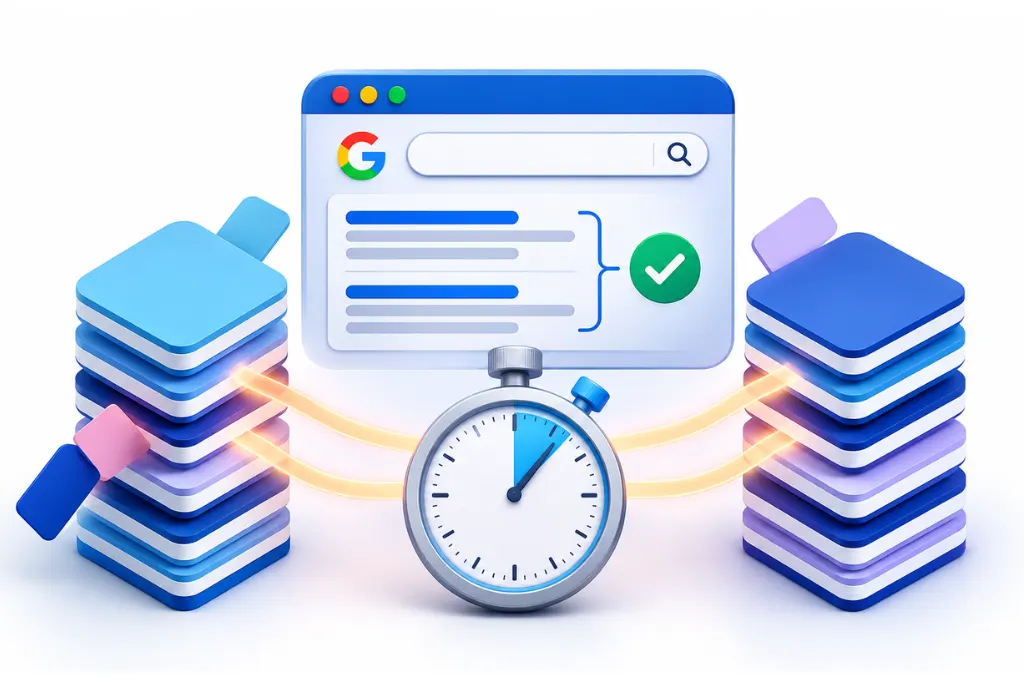
Search both terms in the same location and count how many top organic URLs they share. A high overlap means one page can serve both. A low overlap means Google sees two different needs.
How to run it
- Search from the country you target, such as the UAE, in a private browser window so your history does not skew results.
- Search the first keyword and note the top organic URLs. Ignore ads, maps and AI answers.
- Search the second keyword and note its top organic URLs.
- Count the URLs that appear in both lists.
As a working rule, we treat about 70% or more shared URLs as one topic for one page. We treat about 40% or less as separate topics. In between, check the intent by hand. The same method powers keyword clustering by SERP overlap.
Our results from Google UAE
We ran six pairs in Google UAE on 18 November 2026, using a UAE Chrome profile. Our tool captured 6 to 9 organic results per query, so counts are out of the results we captured. It does not capture AI Overviews, map packs or ads.
|
Query pair |
Type of variation |
Shared organic URLs |
What it suggests |
|
seo agency dubai vs seo agencies dubai |
Singular vs plural |
4 of 9 |
Results reshuffled, check intent by hand |
|
seo agency dubai vs seo company dubai |
Near synonym |
7 of 9 |
Mostly merged, one page is fine |
|
search engine optimisation vs search engine optimization |
British vs American |
3 of 6 |
Half the results differ, check by hand |
|
jumeirah restaurants vs jumeira restaurants |
Transliteration |
9 of 9 |
Fully merged |
|
al barsha clinic vs barsha clinic |
Dropped “Al” |
7 shared (8 and 9 captured) |
Mostly merged |
|
seo agency dubai vs seo agnecy dubai |
Typo |
9 of 9 |
Results matched the correct spelling |
Search results change often, so rerun the test before you make a decision.
Arabic, transliteration and British vs American spelling in UAE searches
Google usually merges common transliterated place names, and it knows British and American spellings mean the same thing. The results can still differ, so test the terms that matter to your business.
Transliterated area names
Arabic place names have no single English spelling. In our test, “jumeirah” and “jumeira” shared all 9 captured URLs, and “al barsha” and “barsha” shared 7. For common place names, Google has learned the link. Use the spelling your audience and Google Business Profile use most, and do not stuff every variant into one page.
Arabic script raises more questions, such as alef and hamza forms and Arabizi. We cover those in our post on how Google interprets Arabic and transliterated search queries. For keyword choices in Arabic, see Arabic keyword research for the UAE and KSA.
British vs American spelling
This was the surprise in our test. “Search engine optimisation” and “search engine optimization” shared only 3 of the 6 results we captured. The British spelling surfaced a Deloitte Digital page for Malta and an ithelps-digital blog post. The American spelling surfaced Optimizely, an India.gov.in page and a US university.
One pair is a small sample, so treat this as a signal, not a rule. A likely reason is that pages written in each spelling style match their own spelling most closely. Pick one spelling style for your site and use it consistently. If you serve several markets, our international and multilingual SEO team can plan language and regional versions properly.
Should you target misspellings and variations on your site?
Write for the main term and let Google handle the rest. Build one strong page per intent, and only split pages when the results show a different intent.
What to do
- Use the clearest, most common term in your title and main heading.
- Mention natural variants where they fit, such as “SEO agency” and “SEO company”.
- Fix typos on your own pages, because they hurt trust.
- Add the alternate spellings of your brand or area in plain text where a reader would expect them.
- Run the 5-minute test before you create a second page for a variant.
What to skip
- Do not misspell words on purpose. Google corrects most typos, and readers notice.
- Do not build separate pages for each synonym or plural unless the results differ.
- Do not chase “LSI keyword” lists or keyword density targets.
If two of your pages already compete for the same term, our guide to finding and fixing keyword cannibalisation walks you through it. Our keyword mapping guide shows how to assign each term to one page. For help shaping titles, headings and copy, see our on-page SEO optimisation service.
Organic matching vs Google Ads close variants
Google Ads close variants are a separate system with their own rules. They show how Google can match words in ads. They do not prove how organic ranking works.
Google Ads Help says exact and phrase match keywords can match close variants. These include misspellings, singular and plural forms, stemming such as “floor” and “flooring”, abbreviations, accents, synonyms, paraphrases and searches with the same intent.

|
Feature |
Organic search |
Google Ads close variants |
|
Misspellings |
Corrected or suggested, depending on confidence |
Matched to your keyword |
|
Singular and plural |
Linked, but results can differ |
Matched to your keyword |
|
Synonyms |
Matched by context at query time |
Matched when intent is the same |
|
Your control |
None over the matching itself |
Negative keywords and search terms report |
|
Where to see it |
Search Console queries |
Google Ads search terms report |
The big difference is control. In Ads you can review search terms and block the ones you do not want. In organic search, nobody can switch off Google’s synonym or spelling systems. You can only make your page the clearest answer for the intent.
How to find synonym and misspelling queries in Search Console
Filter the Performance report by query with a regular expression, and you will see every variant of a word in one view. Search Console shows the real queries that already bring impressions to your pages, so it tells you which variants Google connects to your site today.
Step by step
- Open the Performance report for your property.
- Click + Add filter and choose Query.
- Choose Custom (regex), keep Matches regex, and enter your expression.
- Click Apply, then sort by impressions.
Google’s Search Console help on advanced filtering confirms that it uses RE2 syntax and that matching is not case-sensitive by default. A regex also matches anywhere in the query unless you anchor it.
Regex examples to copy
- British and American spelling: (optimi[sz]ation|optimi[sz]e)
- Singular and plural: agenc(y|ies)
- Area spellings: (jumeirah|jumeira)
- Common typos: (agnecy|agancy|agensy)
Look for variants that bring impressions to a page that does not match their intent. If a plural query lands on a service page but the results favour lists, that is a content gap. On large sites, this review is part of a full SEO audit and diagnostics process.
FAQ
According to SEO-Kreativ’s report of comments by Google’s Gary Illyes, synonyms are added when the search happens, not stored with the page in the index. Google decides what matches each time, based on the full query. This is why the same word can match in one search and not in another.
Google’s synonym system and AI systems such as RankBrain and neural matching relate words to concepts. They can find a page relevant even when it does not contain the exact words searched. Your page ranks because Google judged that it answers the same need.
Only when the search results are different. Compare the top results for both forms in your target country. If most URLs are shared, one page is enough, and if few are shared, the plural likely has a different intent.
No. Google says about one in ten searches is misspelled, and its spelling system suggests or applies a correction for many of them. Deliberate typos make your site look careless and rarely win extra traffic.
Google changes words when it is very confident you made a spelling mistake, or when related words give a better answer. When it corrects spelling automatically, it shows a link to search for your original spelling. You can also put a word or phrase in quotes to ask for an exact match.
Click the link to search for your original spelling that Google shows under the corrected results. You can also put the word or phrase inside quotation marks, which tells Google you want an exact match. Both work search by search, so repeat them whenever you need your exact spelling.
For common names, often yes. In our Google UAE test, “jumeirah” and “jumeira” shared all 9 captured URLs, and “al barsha” and “barsha” shared 7. Less common names and Arabic script variants can behave differently, so test your own terms.
Not as a Google ranking system. Google’s ranking systems guide names BERT, neural matching and RankBrain as the systems that relate words and concepts, and it does not mention LSI. Writing naturally about a topic covers related terms without any special list.
Yes, words on the page still help Google understand what it is about. Google’s ranking systems guide also says systems like RankBrain can find relevant pages that do not contain all the exact words searched. Use the clearest term in your title and main heading, and write naturally around it.
Sources
- Google: How Search Works, ranking results
- Google: The ABCs of spelling in Google Search (Pandu Nayak, 2021)
- Google Search Central: A guide to Google Search ranking systems
- Google: Understanding searches better than ever before (BERT, 2019)
- Search Engine Journal: How does Google Search use synonyms? (2022)
- eWeek: How Google tackles synonyms (2010)
- SEO-Kreativ: Query processing, how Google handles your search queries
- Visilay: Misspelled keywords, do they help SEO?
- Google Ads Help: Keyword close variants
- Search Console Help: Performance report, advanced filtering and comparison
- Google Search Help: Refine Google searches