
Canonical Tags: When to Use Them, When They Fail, and How to Fix Conflicts
A canonical tag is a line of HTML in a page’s head section. It tells Google which URL is the main version when several URLs show the same or very similar content. Google treats it as a strong hint, not a rule. So your redirects, internal links, sitemap and hreflang must all point to the same URL.
What is a canonical tag?
A canonical tag tells search engines which URL you prefer from a group of duplicate pages. It is a link element with rel=”canonical” that sits in the head of the page. Google then tries to show that preferred URL in search and to merge signals from the copies into it.
Here is what the tag looks like on a product page: link rel=”canonical” href=”https://www.example.ae/shoes/running-shoe/”. It goes inside the page’s head section, between the opening and closing head tags. The address in the href is the URL you want Google to index.
Google’s own Search Console Help page on canonical URLs defines a canonical URL as “the URL of the best representative page from a group of duplicate pages”. The rel=”canonical” link relation was formally described in RFC 6596, The Canonical Link Relation, published in April 2012.
Canonical URL vs other URLs for the same page
Every page has a URL. The canonical URL is the one version you want indexed when copies exist. For example, these three addresses may all show the same running shoe:
- https://www.example.ae/shoes/running-shoe/
- https://www.example.ae/shoes/running-shoe/?utm_source=instagram
- https://example.ae/shoes/running-shoe
Only the first should be the canonical. The tracked version should carry a canonical tag pointing to it, and the non-www, no-slash version should 301 redirect to it.
Why canonical tags matter
Duplicate URLs split your signals. Links, ranking signals and impressions spread across several addresses instead of one. Google also spends crawl time on copies rather than on new pages. A clear canonical helps Google pick one URL and report on it in one place. If you want the bigger picture of how this fits into crawling and indexing, read our guide on how search engines crawl, index and rank content.
A hint, not a command: how Google weighs your canonical
Google reads your canonical tag as one vote among several. Its documentation calls a canonical preference “a hint, not a rule”. If your other signals point somewhere else, Google can pick a different URL than the one in your tag.
Google’s page on what canonicalization is lists the factors it uses. These include whether the page uses HTTPS, redirects, sitemap inclusion and the rel=”canonical” annotation. Its guide on how to specify a canonical URL ranks them by strength:
|
Signal |
Strength, per Google |
What it tells Google |
|
301 redirect |
Strong |
The target of the redirect should become canonical |
|
rel=”canonical” tag or header |
Strong |
This is the URL you prefer |
|
Sitemap inclusion |
Weak |
URLs listed in the sitemap are suggested as canonicals |
Internal links and hreflang also count. Google’s guide says to link to the canonical URL rather than a duplicate when you link within your site. So think of it as an election. When the tag, redirects, internal links, sitemap, HTTPS and hreflang all vote for one URL, Google is much more likely to follow your tag. When one signal votes for a different URL, you give Google a reason to overrule you.
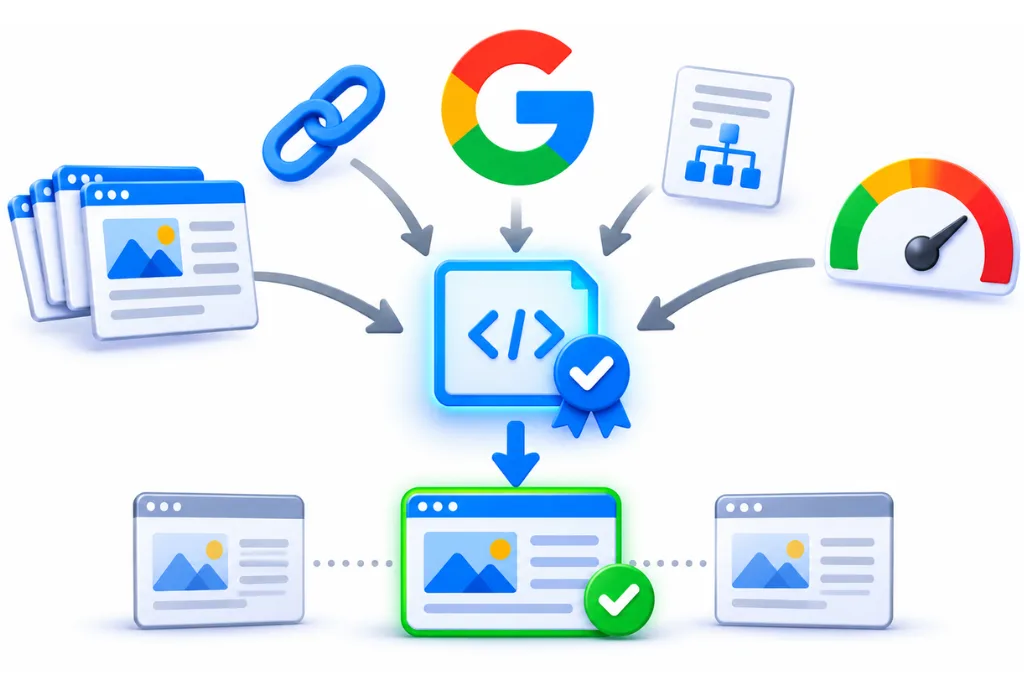
Before you add or change a canonical, list every place that mentions the URL. Then make all of them agree.
When to use a canonical tag, and when another tool is better
Use a canonical tag when duplicate URLs must stay live for users but only one should rank. Use a 301 redirect when the old URL has no reason to exist. Use noindex, hreflang or nothing at all when the pages are not true duplicates.
This decision often goes wrong. Teams reach for a canonical when a redirect would be cleaner, or for robots.txt when Google says not to use it for this job.
|
Situation |
Best tool |
Why |
|
Tracking or UTM parameters on a live page |
Canonical tag to the clean URL |
Users still need the tagged link to work |
|
Sort or filter versions of a category page |
Canonical tag to the main category |
The page must work for shoppers |
|
Old URL after a migration or slug change |
301 redirect |
Nobody needs the old page any more |
|
HTTP vs HTTPS, www vs non-www |
301 redirect, plus a canonical on the final URL |
Redirects are a strong signal, and users never see the old URL |
|
Thin page you do not want in search at all |
Noindex |
It is not a duplicate of anything |
|
Arabic and English versions of a page |
Self-canonical on each, plus hreflang |
They are translations, not duplicates |
|
Your article republished by a partner site |
Partner blocks indexing with noindex |
Google changed this advice in 2023 |
|
Paginated category pages |
Self-canonical on each page |
Page 2 is not a copy of page 1 |
|
A unique page with no copies |
Self-referencing canonical or nothing |
There is nothing to merge |
|
Duplicates you want hidden |
Not robots.txt |
Google cannot see the canonical on a blocked page |
Google is direct about two tools. Its guide says do not use robots.txt for canonicalization, and do not use the URL removal tool for it either. It also does not recommend noindex to stop a page from being chosen as canonical within one site. If you are unsure which of those two controls does what, our post on robots.txt vs noindex explains the difference.
Canonical tag vs 301 redirect
A 301 sends both users and Google to the new URL. A canonical keeps the duplicate open to users and only asks Google to index the main version. Choose the redirect when the duplicate serves no purpose. Choose the canonical when people still need to land on that URL, for example a campaign link with tracking code.
How to add a canonical tag correctly
Put one canonical tag in the head of each indexable page, using a full absolute URL. For files that have no head, such as PDFs, send the canonical in an HTTP header instead. Point each tag at a live page that returns a 200 status.
Follow these rules, drawn from Google’s canonical and JavaScript guides:
- Place it in the head. Google only accepts the link element if it appears in the head section of the HTML.
- Use absolute URLs. Write https://www.example.ae/shoes/ rather than /shoes/. Google says relative paths can cause problems later, for example when a test site gets crawled.
- Use one method per page. Using both the HTML tag and the HTTP header at the same time is more error prone, so pick one.
- Use one tag per page. Google’s JavaScript guidance says to keep only one rel=”canonical” on a page.
- Point to an indexable URL. The target should load with a 200 status, with no noindex, no redirect and no robots.txt block.
- Match your other signals. Link internally to the canonical URL and list only that URL in your sitemap.
Canonicals for PDFs and other files
The rel=”canonical” link element only works for HTML pages. For a PDF, your server can send a Link header in the HTTP response. The header names the canonical URL inside angle brackets, followed by rel=”canonical”. This is useful when the same price list or brochure lives at two addresses, or when a PDF copies an HTML page.
Should every page have a self-referencing canonical?
A self-referencing canonical is a tag that points to the page’s own URL. It is not mandatory. We still add one to every indexable page by default. It stops tracking parameters and stray copies from competing with the clean URL.
Setting canonicals in WordPress, Shopify, WooCommerce and Next.js
Set the canonical in your SEO plugin, theme or page metadata, then check the page source to confirm there is one correct tag. WordPress SEO plugins and Shopify themes add a canonical by default, so check the default before overriding it. Here is where the setting lives on common UAE stacks.
WordPress with Yoast SEO
Yoast SEO adds canonical URLs to WordPress for you, according to Yoast’s help page on canonical URLs. To set a custom one, open the Yoast SEO sidebar in the post or page editor and go to Advanced. Enter the full URL in the Canonical URL field, including https and the right www or non-www version.
WordPress with Rank Math
In Rank Math, open the editor sidebar and go to the Advanced tab. Change the Canonical URL field to the main version of the content. Rank Math’s guide says you may need to switch the plugin to advanced mode to see that tab.
Shopify
Shopify themes print the canonical through a Liquid object called canonical_url, which returns the canonical URL for the current page, per Shopify’s developer docs. The line usually sits in the theme.liquid layout file. If your theme links to products through collection paths, such as /collections/abayas/products/black-abaya, view the source and confirm the canonical points to the clean /products/ URL. Our post on Shopify SEO issues in Dubai covers this and other theme problems.
WooCommerce
WooCommerce sites usually rely on Yoast or Rank Math for the tag. Watch variable products. If choosing a size or colour adds an attribute parameter to the URL, each version should usually carry a canonical back to the main product URL. Make sure your SEO plugin does not output a second tag on top of the theme’s own.
Next.js and React
In the Next.js App Router, you set the canonical in the metadata object under alternates, using the canonical field. Next.js then writes the link tag into the head of the server response, as shown in the Next.js generateMetadata reference. In a plain React app that renders in the browser, use server-side rendering or pre-rendering so the tag is already in the HTML the server sends. Google’s JavaScript SEO basics says injecting a canonical with JavaScript works but is not recommended.
Duplicate URL patterns on UAE sites
Most duplicate URLs on UAE sites come from a small set of patterns. These include tracking parameters, currency and city filters, collection paths, protocol and slash variants, and staging copies. Find which ones your site produces, then pick a canonical or a redirect for each.
Here are the patterns we look for first:
- Tracking parameters. Instagram, WhatsApp and Google Ads links add utm_source and similar tags. Each tagged link is a new URL to Google.
- Currency parameters. Stores that serve GCC shoppers often switch prices with a parameter such as ?currency=AED or ?currency=SAR. If the content is the same, canonicalise to the clean URL.
- City and emirate filters. Listings filtered by Dubai, Abu Dhabi or Sharjah can create thousands of near-identical URLs. Our guide to faceted navigation and SEO shows how to decide which filters deserve their own indexable page.
- Collection paths. One Shopify product reachable through several collections.
- Protocol, host and slash variants. http vs https, www vs non-www, and a trailing slash vs none. Fix these with site-wide 301 redirects first.
- Staging copies. A staging or test site left open to crawlers duplicates your whole site. Protect it with a password, not just a canonical.
- Emirate location pages. Service pages for Dubai, Abu Dhabi and Sharjah built from one template with only the city name changed. Google may treat them as duplicates. The fix is unique content on each, not a canonical to one city.
Why canonical tags fail: 9 conflicts that make Google ignore yours
Canonical tags fail when they contradict another signal or point to a URL Google cannot use. The nine conflicts below are the ones that come up most in canonical audits. Each one has a simple fix once you spot it.
|
Conflict |
What happens |
Fix |
|
1. Noindex plus canonical on the same page |
Mixed message: “do not index me” and “merge me into this URL” |
Choose one. For duplicates, use the canonical alone |
|
2. Canonical points to a URL blocked in robots.txt |
Google cannot crawl the target to confirm it |
Unblock the target or change the canonical |
|
3. Canonical points to a redirect or a 404 |
The target is not a valid final page |
Point to the final URL that returns 200 |
|
4. Canonical chains |
A points to B, which points to C |
Point every duplicate straight to the final URL |
|
5. Multiple canonical tags |
A theme and a plugin each add one, often with different URLs |
Remove all but one |
|
6. Tag placed in the body |
Google ignores link elements outside the head |
Move it into the head |
|
7. JavaScript changes the canonical |
The raw HTML says one URL, the rendered page says another |
Set the right URL in the server HTML and stop scripts editing it |
|
8. Sitemap and internal links point elsewhere |
Your weak signals outvote your tag |
List and link only the canonical URL |
|
9. Paginated pages point to page 1 |
Products on page 2 and beyond lose a path to indexing |
Give each page in the series its own self-canonical |
JavaScript canonicals. Some frameworks and tag managers rewrite the head after the page loads. If the server HTML and the rendered HTML disagree, Google sees two different votes from the same page. Google’s JavaScript guidance says to set the canonical in the HTML and keep only one.
Pagination. Some guides still suggest pointing page 2, 3 and 4 of a category to page 1. Google’s pagination guidance for ecommerce says not to use the first page of a sequence as the canonical. Each page should canonicalise to itself.
Canonicals on bilingual and GCC sites
Never canonicalise an Arabic page to its English version, or the other way round. Translations are not duplicates. Give each language version a self-referencing canonical and link the pair with hreflang.
Google’s guide is clear here. When you use hreflang, specify a canonical page in the same language, or the best substitute language if none exists. Its troubleshooting guide for canonicalization issues also lists language variants without hreflang as one cause of Google choosing an unexpected canonical.
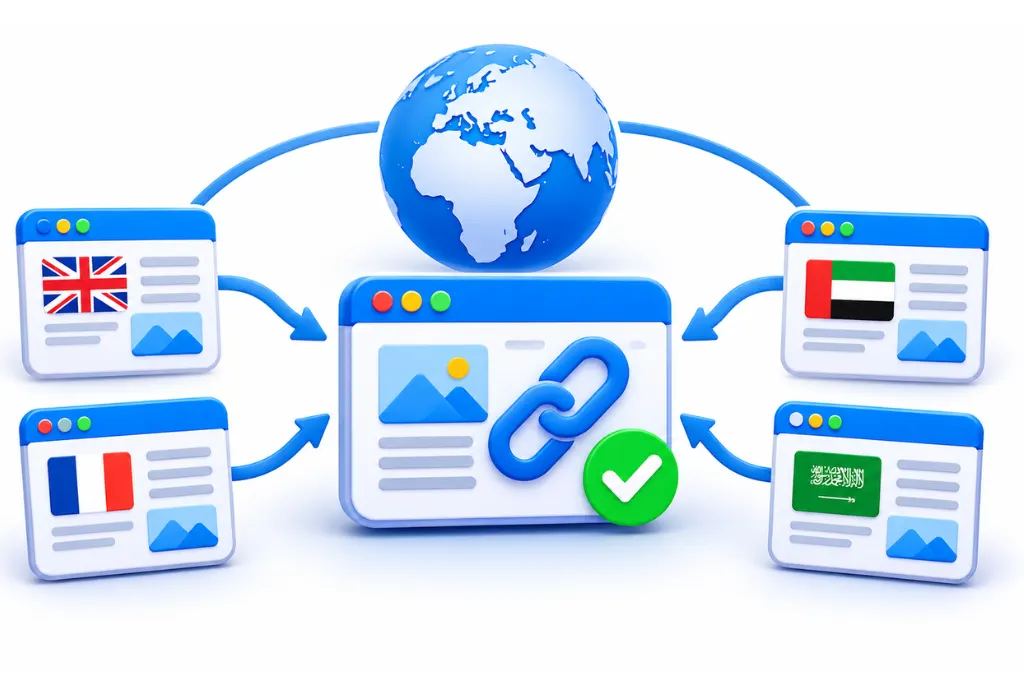
A correct setup for a Dubai site with /ar/ and /en/ folders looks like this:
- https://www.example.ae/ar/services/ carries a canonical to itself.
- https://www.example.ae/en/services/ carries a canonical to itself.
- Both pages carry hreflang tags that reference each other and themselves.
GCC store copies
Many retailers run separate UAE and Saudi stores, for example example.ae and example.sa, with the same English product copy. If each store targets a different country with its own prices and currency, they are regional versions. Treat them with hreflang (en-AE and en-SA) and self-canonicals, not a cross-domain canonical. A cross-domain canonical tells Google to drop one store from search. If you run several GCC markets, our international and multilingual SEO team can help map the setup.
Cross-domain canonicals, syndication and copycats
A cross-domain canonical points from a page on one site to a page on another. It still works when you own both sites and one is a true copy. For articles republished by partners, Google changed its advice in 2023.
According to Search Engine Roundtable’s report from May 2023, Google no longer recommends canonical tags for syndication partners. Instead, the partner should block indexing of the copy. In practice, that means asking a publisher who reposts your article to add noindex to their version. A link back to your original is a sensible extra, but it is not a replacement for blocking the copy.
Scraper and copycat sites are a different problem. You cannot control their tags. Google’s troubleshooting guide lists copycat sites and hacked pages among the causes of unexpected canonicals. Keep your own signals clean. The same guide points to Google’s legal removal process for copies that break the law.
How to find and fix canonical conflicts: a 20-minute audit
Start with the URL Inspection tool, then compare the raw and rendered HTML. Run a crawler to catch site-wide patterns, and finish with your sitemap and internal links. On a single template, these checks take about 20 minutes.
- Inspect the URL in Search Console. Use Inspect this URL and look under Page indexing for the Google-selected canonical. Compare it with your user-declared canonical.
- View the page source. Search the raw HTML for rel=”canonical”. Count how many tags there are and confirm the URL is absolute and correct.
- Compare with the rendered HTML. Open your browser’s developer tools and search the live DOM. If the canonical differs from the source, a script is changing it.
- Test the target. Open the canonical URL. It should load with a 200 status, have no noindex and not be blocked in robots.txt. Our guide to writing a robots.txt file shows how to spot a blocking rule.
- Crawl one template. Use a crawler such as Screaming Frog on a sample of product or service pages. Filter for missing, multiple and non-indexable canonicals.
- Match the sitemap and internal links. Confirm the sitemap lists only canonical URLs, and that menus and product grids link to them.
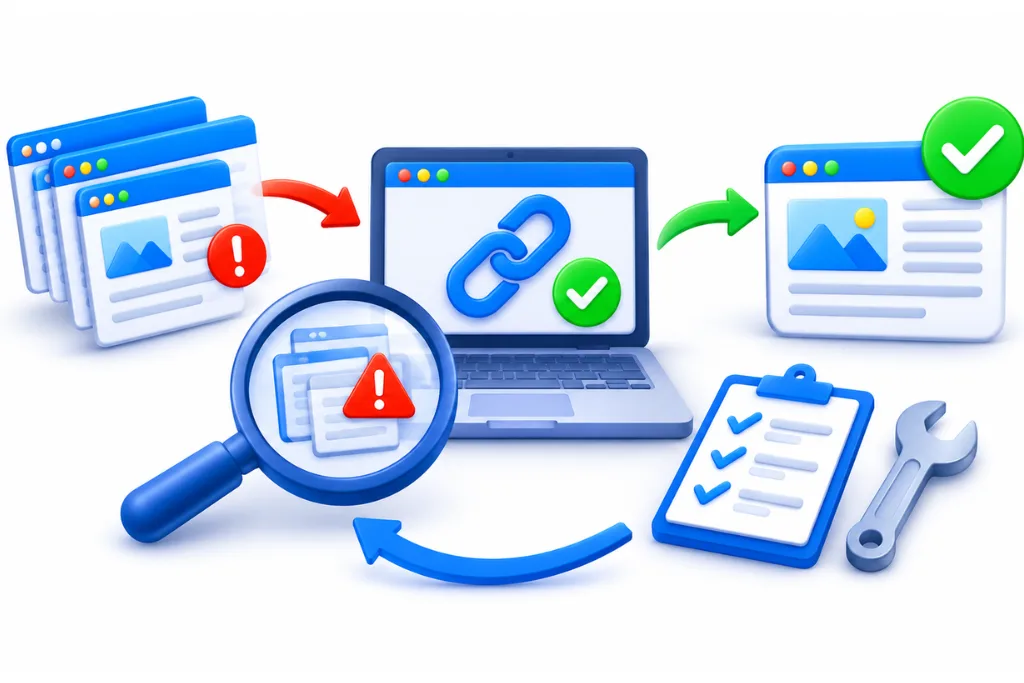
Search Console canonical statuses at a glance
The Page indexing report uses three canonical statuses. Here is what each means, based on Google’s Page indexing report help. For the full diagnosis of why Google overrode you, see our guide on how Google chooses a canonical URL.
|
Status |
What it means |
Do you need to act? |
|
Alternate page with proper canonical tag |
The page points to an indexed canonical |
No, Google says there is nothing to do |
|
Duplicate without user-selected canonical |
Google picked another page as canonical, and this page names none |
Only if Google picked the wrong page |
|
Duplicate, Google chose different canonical than user |
Google prefers a different URL than your tag |
Check it. Act if Google’s choice is the wrong page |
How long recovery takes
There is no fixed timeline. Google needs to recrawl the duplicate and the canonical before the change shows. In a Quora thread on recovering from a canonical tag error, answers range from a few days to 4 to 8 weeks after the fix. These are anecdotes, not a Google figure. Requesting indexing for your most important pages in URL Inspection can prompt a recrawl.
Canonical tag myths to stop repeating
Three myths still cause damage: that duplicate content gets you penalised, that a canonical on every page fixes everything, and that noindex plus a canonical is the safe choice. All three are wrong for most sites.
Myth 1: Duplicate content gets you penalised
It does not, in the normal case. Search Engine Journal reported in January 2021 that John Mueller of Google said multiple copies of a page do not send negative ranking signals. The real cost is split signals and wasted crawling, which is why canonicals still matter.
Myth 2: A canonical on every page fixes everything
A self-referencing canonical is a good default. It does nothing if your redirects, internal links and sitemap point elsewhere. It also cannot make two different pages into duplicates. If the content differs, Google may ignore the tag.
Myth 3: Use noindex plus a canonical to be safe
You will see this answer on Q&A sites, and it is wrong for duplicates on one site. Google does not recommend noindex to stop a page from being chosen as canonical. Pick the canonical tag for duplicates and save noindex for pages you want out of search entirely.
If your Search Console report shows canonical warnings you cannot explain, a technical SEO audit finds which signal is out of line. We review your canonical tags, redirects, sitemap and internal links together, so every signal votes for the same URL.
FAQ
A canonical tag is a link element with rel=”canonical” placed in a page’s head section. It tells Google which URL is the main version when several URLs show the same or very similar content. Google treats it as a strong hint and usually indexes the URL you name, as long as your other signals agree.
A URL is any address that loads a page. A canonical URL is the one address you want Google to index when several URLs show the same content. For example, a product page with and without a tracking parameter has two URLs but should have one canonical URL.
They are not mandatory, and Google can choose a canonical without one. They are still worth adding to every indexable page as a self-referencing tag. This gives Google a clear preference and stops parameter and tracking URLs from competing with the clean version.
A self-referencing canonical tag is a canonical that points to the page’s own URL. It confirms that the page is the main version of itself. It is useful because tracked links, filters and other parameters create copies that should all point back to the clean address.
Most WordPress SEO plugins add canonical tags automatically. In Yoast SEO, open the Yoast sidebar in the editor, go to Advanced and enter the full URL in the Canonical URL field. In Rank Math, use the Canonical URL field under the Advanced tab.
View the page source and search for rel=”canonical” to see the tag and its URL. Then compare it with the rendered page in your browser’s developer tools to catch JavaScript changes. In Search Console, the URL Inspection tool shows both your declared canonical and the one Google selected.
Start by finding the signal that disagrees with your tag. Check that the canonical target loads with a 200 status, has no noindex and is not blocked by robots.txt. Then make sure your redirects, internal links, sitemap and hreflang all point to the same URL, and remove any extra canonical tags.
Sources
- RFC 6596, The Canonical Link Relation
- Google Search Central: What is canonicalization
- Google Search Central: How to specify a canonical URL
- Google Search Central: Fix canonicalization issues
- Google Search Central: JavaScript SEO basics
- Google Search Central: Pagination and incremental page loading
- Search Console Help: Page indexing report
- Search Console Help: Canonical
- Yoast: Canonical URLs in Yoast SEO
- Rank Math: How to change the canonical URL
- Shopify developer docs: canonical_url
- Next.js: generateMetadata reference
- Search Engine Roundtable: Google updates canonicalization help documentation (May 2023)
- Search Engine Journal: Google says duplicate content is not a negative ranking factor (January 2021)
- Quora: How long does it take to recover from a canonical tag error