
How to Get New Pages Indexed Faster Without Paid Tools

To get a new page indexed, first make sure Google can index it: a 200 status, no noindex tag, no robots.txt block and a self-referencing canonical. Then link to it from a page Google already crawls, list it in your XML sitemap with an accurate lastmod and request indexing once. Google says crawling can take days to weeks.
How to get pages indexed by Google
You get a page indexed by removing blocks, giving Google clear paths to the page and then waiting. Indexing means Google has stored your page so it can appear in results. No free or paid method can force it.
Google says plainly that it does not guarantee it will crawl, index or serve your page. The same guide says most indexed pages are found automatically, not submitted by hand. So your job is to make the page easy to find and worth keeping.
This guide is the routine we suggest for a page you have just published. It covers what to check, what to do on publish day and how long to wait before you worry. For the full picture of how this fits together, read our guide to how search engines crawl, index and rank content.
Before you ask Google: the 2-minute indexability check
Check that the page can be indexed before you do anything else. A request cannot beat a block, and you cannot request indexing if the live test finds the page non-indexable. Run through these six points first.
- Status code: the page returns 200 OK, not a redirect, a 404 or a server error.
- Noindex: there is no noindex rule in the meta robots tag or the X-Robots-Tag header.
- Robots.txt: no Disallow rule covers the URL. Do not combine this with noindex, because Google must crawl a page to see its noindex rule.
- Canonical: the page points to itself. A canonical link is a strong signal, so one that points elsewhere can lead Google to treat the other URL as the main version.
- Visible content: the main text appears in the rendered HTML. If your site relies on scripts, read our guide to how Google renders JavaScript.
- Firewall: your security tools do not block Googlebot. We cover this in the UAE section below.
The URL Inspection live test helps with most of this. Keep in mind that a pass only confirms Google-InspectionTool can access the page. It does not promise indexing.
The publish-day routine: 5 free steps in the order that matters
Do these five steps on the day you publish, in this order. All of them are free. The times below are our rough estimates, not Google figures.

|
Step |
Free tool |
Why it works |
Time |
|
1. Run the indexability check |
URL Inspection live test |
Removes blocks before Google visits |
2 minutes |
|
2. Add links from crawled pages |
Your CMS |
Gives Googlebot a path to the page |
5 minutes |
|
3. Confirm the page is in your sitemap with an accurate lastmod |
Your sitemap and the Sitemaps report |
Gives Google a hint about the new URL |
2 minutes |
|
4. Request indexing once |
URL Inspection |
Adds the URL to Google’s queue |
1 minute |
|
5. Note the date and set your checks |
Your calendar |
Stops you guessing and resubmitting |
1 minute |
Step 2 comes before step 4 for a reason. When Google picks up your request, the page is already joined to the rest of your site, so crawlers can also reach it from pages they know.
Internal links from pages Google already crawls
An internal link is one of the most useful free steps for a new page. Google finds new pages by following links from pages it already knows, such as a category page that links to a new post. So the link has to sit on a page Google already visits.

Good places to add one are your homepage, a relevant hub or category page, a latest-posts block and two or three related posts. A page with no internal links is an orphan page, and Google may only find it through your sitemap.
The link must also be real. Google can only crawl a link that is an a element with an href attribute, so a button that only runs a script may not count. Our guide to internal links and crawling goes further on placement and depth.
XML sitemaps Google trusts
A sitemap helps Google find your new URLs, but it does not get them indexed. Google calls a submitted sitemap merely a hint. What counts is a clean file with accurate dates, submitted once through the Sitemaps report in Search Console.
What Google uses and what it ignores
- Lastmod: Google uses it only when it is consistently and verifiably accurate. Google says it should reflect significant changes, such as the main text, structured data or links. A new footer date does not count.
- Priority and changefreq: Google ignores both, so there is no need to spend time on them.
- Sitemap ping: this is gone. Google announced the end of the ping endpoint in June 2023, support ended at the end of that year and pings now return a 404. Old plugins and ping services will not speed anything up.
Add an RSS or Atom feed
If you publish often, add a feed as well. Google recommends using both. A sitemap describes the whole site, while a feed describes recent changes and tends to be downloaded more often. The same post suggests WebSub for sending feed updates straight to subscribers, including search engines.
URL Inspection and Request Indexing
Request Indexing asks Google to look at one URL, and one request is enough. Paste the URL into URL Inspection in Search Console, wait for the result and click Request indexing. Google runs a quick check for obvious errors, and if the page passes, it joins the queue.
The limits to know
- Daily limit: there is a daily cap on index requests, so save them for the pages that matter most.
- Live test limit: the live test has its own daily limit per property.
- Your own property: the URL must belong to the property you have open in Search Console.
- Many pages: for a large batch, Google says your best choice is a sitemap with lastmod, not a long session of manual requests.
Why asking twice does nothing
Google states that requesting a recrawl several times for the same URL will not get it crawled any faster. It also says a request does not guarantee inclusion “instantly or even at all”. Make one request, then leave it alone.
If the request is rejected
An “indexing request rejected” message usually points to a problem you can fix. In a Quora answer, one former Google Top Contributor lists a robots.txt Disallow, noindex in the meta tag or header (even one added by JavaScript), a non-200 response, a slow response, a canonical pointing elsewhere, content that loads too late for Googlebot and duplicate content. Fix the cause, then run the live test again.
How long indexing really takes, and what to check on day 3, 7, 14 and 28
Google says crawling can take anywhere from a few days to a few weeks. There is no fixed schedule, so a page that is missing after two days is normal. The check plan below is our own working routine, not a Google schedule.
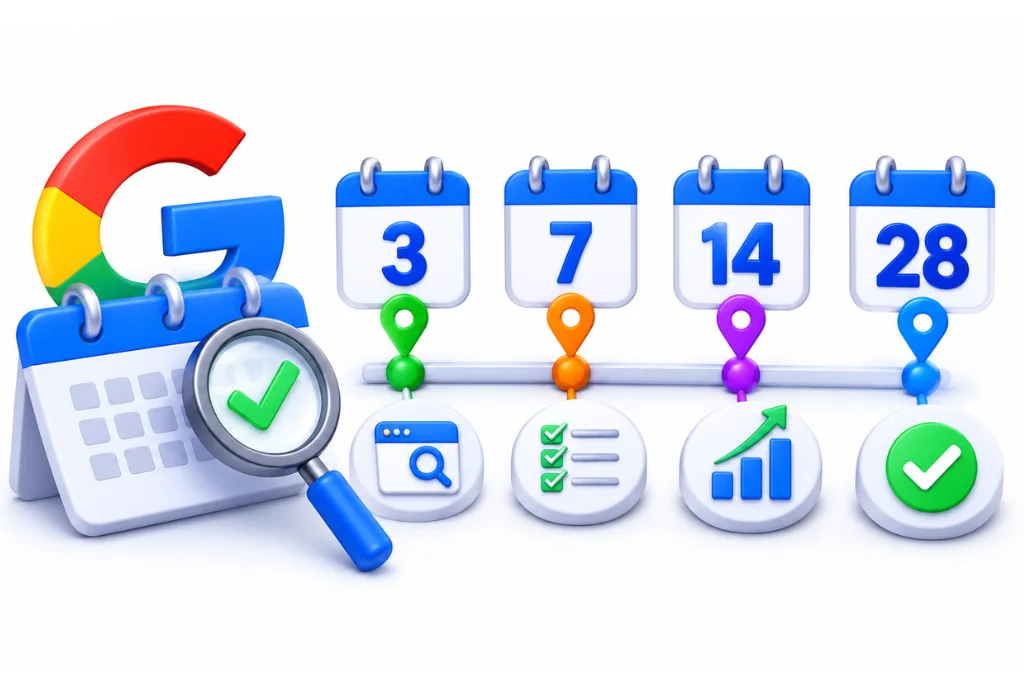
- Day 3: inspect the URL. “URL is not on Google” is common at this stage. Confirm that the live test still passes and that nothing has changed since publishing.
- Day 7: check for discovery. See whether URL Inspection shows a last crawl date. If it does not, add one more link from a stronger page.
- Day 14: read the status. Use the table in the next section and act on what it says. Compare with other pages you published recently.
- Day 28: make a decision. If the page is still out, stop waiting. Improve the page, merge it into a stronger one or check for a wider site problem.
To confirm the result, use the checks in our guide on what indexed means and how to check it. Also keep in mind that indexed does not mean ranked. “URL is on Google” means the page is eligible to appear, and Google says it is not guaranteed to be there.
Still not indexed? Read the status before you act
The status tells you what to do next, so read it before you change anything. Find the reason in URL Inspection or the Page indexing report. Each status needs a different fix.
|
Status |
What it means |
What to do |
|
URL is unknown to Google |
Google has not found the URL |
Add internal links and check the sitemap |
|
Discovered, currently not indexed |
Found, but not crawled yet |
Add links from stronger pages. See our Discovered guide |
|
Crawled, currently not indexed |
Crawled, but not added to the index |
Treat it as a content decision. See our Crawled guide |
|
Duplicate, Google chose different canonical than user |
Google prefers another URL |
Check for near copies. See our canonical guide |
|
Soft 404 |
The page looks empty or missing to Google |
Add real content, or return a true 404 |
|
URL blocked by robots.txt |
A Disallow rule stops the crawl |
Remove the rule if the page should be indexed |
|
URL marked ‘noindex’ |
Google found a noindex rule |
Remove it, then test again |
If many pages share the same status, the cause is probably a template or a site setting and not the page itself. That is the point where a technical SEO audit can save time.
Shortcuts that backfire
The tricks that promise instant indexing either do nothing or add risk. Google does not accept payment to crawl a site more often, and it says anyone who claims otherwise is wrong. These are the four shortcuts to skip.
- Paid indexers: in our research on 5 Nov 2026, AnswerThePublic shopping results showed gigs promising to index your URLs quickly for AED 44 to 60. Some indexers also rely on link spam, and none of them can buy a place in Google’s index.
- The Indexing API for blog posts: Google limits the Indexing API to pages with JobPosting or BroadcastEvent embedded in a VideoObject. All submissions go through spam detection, and abuse can get your access revoked. Guides that suggest it for ordinary pages go against Google’s documented use.
- Mass resubmitting: repeat requests use up your daily limit and do not speed up the crawl.
- Thin or auto-generated pages: publishing many weak pages gives Google little reason to keep them.
IndexNow and Bing Webmaster Tools
IndexNow is a free way to tell other search engines about a new URL straight away. The participating engines are Amazon, Bing, Naver, Seznam.cz, Yandex and Yep. Google is not on the list, so it will not help your Google indexing.
Setup is simple. You generate a key, host it as a file on your site and send your URLs to the IndexNow endpoint. A submission to one participating engine is shared with the others, and you can use Bing Webmaster Tools to confirm that URLs arrived.
The same caution applies here. The IndexNow FAQ says a submission does not guarantee immediate indexing, so do this after the Google routine.
UAE sites: Arabic and English versions, platforms and firewalls
Sites in the UAE often need to get two language versions indexed and may sit behind strict security tools. A missed language version or a firewall rule can keep a page out of Google even when it looks fine in your browser. Here is what to check.
Arabic and English versions
Give each language its own URL, such as an /ar/ subfolder. Google recommends different URLs for each language version rather than cookies or browser settings. Then run the publish-day routine for both versions, because each one is a separate URL for Google to find. List both URLs in your sitemap.
Hreflang tells Google how the versions relate. Each version must list itself and all the others, and if two pages do not point to each other, the tags are ignored. You can set this in page tags, HTTP headers or the sitemap, and one method is enough. Add x-default for visitors whose language you do not serve. Keep each canonical on the same language too, as Google advises for localized pages. If this is getting complex, our multilingual SEO team can help you set it up.
WordPress, Shopify and Wix
- WordPress: check Settings, then Reading. The Discourage search engines box adds a noindex rule to your site, and it is easy to leave on after a staging build.
- Shopify: every store generates a sitemap.xml automatically, and added languages are included for you. Google cannot read it while your store is in private mode, so check that before launch. For more on this platform, see our Shopify SEO services.
- Wix: when you connect Search Console through the SEO Setup Checklist, Wix submits your sitemap for you. This needs a Premium plan and a connected domain. You can still request indexing for a single page.
Firewalls and hosting
Check your security rules if URL Inspection cannot reach a page that opens fine in your browser. Google says Googlebot’s default IP addresses appear to be based in the USA, though it also crawls from other countries. So a rule that blocks US traffic to cut down on bots can also shut out Google.
Cloudflare’s crawl error guide warns against blocking Google’s crawler through custom rules or IP Access rules. It also says to keep rate limits away from the crawler, and it warns about anti-bot modules on your own server. Before you block an IP that claims to be Googlebot, verify it with a reverse DNS lookup.
Hosting matters too. Google says availability issues can prevent it from crawling your site as much as it might want to, and you can see them in the Crawl Stats report. A 503 or 429 is fine for a short overload, but returning them for more than 2 days can slow crawling and drop URLs from the index.
FAQ
Google says crawling can take anywhere from a few days to a few weeks. There is no fixed timetable, and indexing is never guaranteed. We check on day 3, 7, 14 and 28, which is our own routine and not a Google schedule.
You cannot force it. The closest you can get is to fix any blocks, link to the page from pages Google already crawls and use Request Indexing once in URL Inspection. Google still decides whether the page goes in the index.
Remove blocks first, then add internal links from pages Google already crawls. Keep the page in an accurate sitemap and make one indexing request. These steps improve your odds, but Google gives no promise on timing.
No. Google describes a submitted sitemap as merely a hint. It helps Google find your URLs, and an accurate lastmod helps Google spot updates, but the page still has to earn its place in the index.
No. Google limits the Indexing API to pages with JobPosting or BroadcastEvent embedded in a VideoObject. All submissions go through spam detection, and abuse can lead to your access being revoked. Use internal links, a sitemap and URL Inspection for blog posts.
Yes. Search Console has a daily limit on index requests, and the live test has its own daily limit per property. If you have many new pages, Google suggests a sitemap with lastmod. Asking again for the same URL will not speed it up.
The most common causes are a noindex rule, a robots.txt block, a canonical pointing elsewhere, a server error, weak or duplicate content or no internal links. Read the status in URL Inspection first, because each one needs a different fix.
Google has visited the page but chose not to add it to the index for now. The page will not appear in results. Improve the content, add links from stronger pages or merge it with a better page, and then request indexing once.
Paste the URL into the URL Inspection tool in Search Console. “URL is on Google” means the page is eligible to appear in results, and “URL is not on Google” means it will not appear. The tool also shows the reason.
Yes. Google does not accept payment to crawl a site more often or to rank it higher. The steps in this guide use Google Search Console and your own website, so you do not need a paid tool.
Sources
- Google Search Central: Ask Google to recrawl your URLs
- Search Console Help: URL Inspection tool
- Search Console Help: Page indexing report
- Google Search Central: In-depth guide to how Google Search works
- Google Search Central: Build and submit a sitemap
- Google Search Central Blog: Sitemaps ping endpoint is going away
- Search Engine Roundtable: Google to drop support for sitemaps ping endpoints
- Google Search Central Blog: Best practices for XML sitemaps and RSS/Atom feeds
- Google Search Central: Link best practices
- Google Search Central: Block indexing with noindex
- Google Search Central: Consolidate duplicate URLs
- Google: Indexing API quickstart
- Google Search Central: Localized versions of your pages
- Google Search Central: Managing multi-regional and multilingual sites
- Google Search Central: Locale-adaptive pages
- Google Search Central: Verifying Googlebot
- Google Search Central: Troubleshoot crawling errors
- Cloudflare: Troubleshoot crawl errors
- IndexNow: FAQ
- Bing: Get started with IndexNow
- WordPress: Settings Reading screen
- Shopify Help Center: Find your sitemap
- Wix Help Center: Submitting your sitemap and URLs directly to search engines
- Quora: Why was my client’s indexing request rejected on Google Search Console?