
What Is Crawl Budget, and When Should a Website Actually Worry About It?
Crawl budget is the number of URLs Googlebot can and wants to crawl on a site in a given period. It depends on crawl capacity (what your server can handle) and crawl demand (how popular and fresh your pages are). Google says it mainly matters for sites with 1M+ pages changing weekly, or 10,000+ changing daily.
What is crawl budget?
In Google’s words, crawl budget is the set of URLs that Google can and wants to crawl. Think of it as the time and server load Googlebot is willing to spend on one hostname. For most websites that limit is far higher than the number of pages they have.
Crawling is the step where a bot fetches a page so a search engine can read it. If you want the basics first, read our guide on what crawling is in SEO. Crawl budget only describes how much of that fetching Google is willing to do.
Google counts each hostname on its own. So shop.example.ae and www.example.ae each get a separate budget. Crawl budget is also one stage in a longer chain. Our guide to how search engines crawl, index and rank content shows where it sits in the full process.
How Google sets your crawl budget: capacity and demand
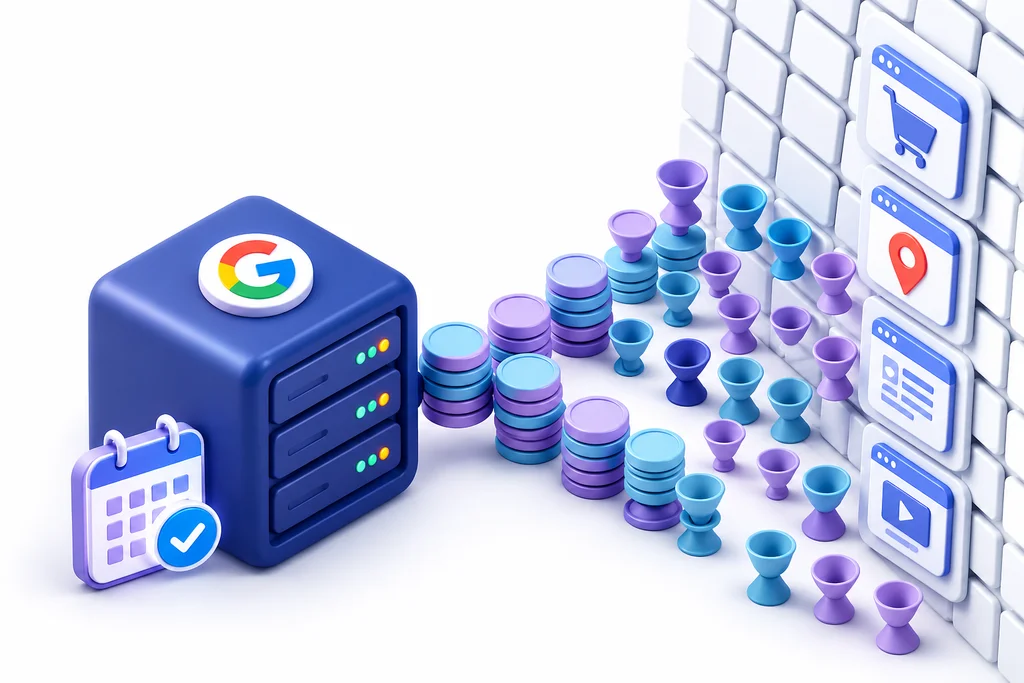
Two things set your crawl budget. Crawl capacity is how much crawling your server can take without slowing down. Crawl demand is how much Google wants to crawl, based on how many URLs it knows, how popular they are and how stale its copies are.

Crawl capacity limit
Google raises the capacity limit when your site responds quickly and steadily. It lowers it when responses slow down, or when your server returns 5xx errors or 429 (too many requests) codes. Google’s own resources also cap it. The details of rate and capacity are in our post on crawl budget vs crawl rate limit.
Crawl demand
Demand comes from four signals in Google’s documentation:
- Perceived inventory: Google tries to crawl most URLs it knows about, including duplicates and junk URLs.
- Popularity: URLs that are more popular on the web tend to be crawled more often.
- Staleness: Google recrawls often enough to catch changes.
- Site-wide events: a site move can push demand up for a while.
How Googlebot ranks URLs inside that demand is covered in how Googlebot decides what to crawl and how often it comes back. The short version is simple. A fast server lets Google crawl more, but only demand makes it want to.
Crawl budget vs crawlability vs indexing: three different problems
These three terms get mixed up in audit reports, but each has its own fix. Crawlability asks whether Google can reach a page, crawl budget asks whether it gets there in time, and indexing asks whether Google keeps it.
|
Problem |
The question |
Typical cause |
Where you see it |
|
Crawlability |
Can Googlebot reach the page? |
robots.txt block, broken links, orphan page, login wall |
URL Inspection, Page Indexing report |
|
Crawl budget |
Does Googlebot reach it soon enough? |
Huge URL inventory, slow server, crawl waste |
Crawl Stats report, server logs |
|
Indexing |
Does Google keep the page? |
Thin, duplicate or low-value content |
Page Indexing report |
Two Page Indexing statuses show the difference. “Discovered, currently not indexed” means Google knows the URL but has not crawled it yet, which on a big site can point to crawl capacity or demand. “Crawled, currently not indexed” means Google did crawl the page, so budget did not stop it. Google read the page and chose not to index it, so the fix is quality or duplication, not crawling.
Should your website worry? A 5-minute Search Console test
Most websites do not need to worry about crawl budget. Google’s crawl budget guide targets sites with over a million unique pages that change weekly, or 10,000+ pages that change daily. It also covers sites with many URLs stuck in “Discovered, currently not indexed”, and Google calls all of these rough estimates.
Google’s Crawl Stats help page says much the same. If your site has fewer than a thousand pages, you usually do not need that report at all. You can run the test below in about five minutes.
|
Step |
Where in Search Console |
You can relax if |
Look closer if |
|
1. Count your URLs |
Pages (Page Indexing report): indexed plus not indexed |
Under 10,000 URLs, or under 1M that change less than daily |
10,000+ changing daily, or 1M+ changing weekly |
|
2. Check the discovery queue |
Page Indexing: “Discovered, currently not indexed” |
A small, stable number |
A large number that keeps growing |
|
3. Check host status |
Settings, Crawl stats, Host status |
No problems shown |
robots.txt, DNS or server connectivity failures |
|
4. Check response time |
Crawl stats, Average response time |
Flat line |
Rising response time while total requests fall |
|
5. Check what gets crawled |
Crawl stats, By response and By purpose |
Mostly 200 OK, healthy refresh |
Many 301s, 404s or 5xx, or parameter URLs |
|
6. Test a new page |
URL Inspection on a page you published last week |
Crawled soon after publishing |
Still “URL is unknown to Google” |
If you answer “relax” on every row, crawl budget is not your problem, and your time is better spent on content, internal links and indexing issues. Our own rule of thumb: if two or more rows say “look closer”, read on.
What normal looks like: real Crawl Stats from a 600-page site
For a site of about 600 pages, normal looks like around 150 Googlebot requests a day, mostly refresh crawls, a steady response time and no host problems. None of the 11 guides we reviewed shows real numbers, so these are Octopus Marketing Agency’s own Search Console figures, taken on 30 October 2026. At roughly 600 indexed pages, our site sits well below Google’s thresholds.
|
Search Console metric (report) |
Octopus, 30 Oct 2026 |
|
Indexed pages (Page Indexing) |
604 |
|
Total crawl requests (Crawl Stats, last 90 days) |
13.4K (about 150 a day) |
|
Average response time |
480ms |
|
Host status |
No problems |
|
By purpose |
87% refresh, 13% discovery |
|
By response |
90% 200 OK, 7% 301 |
|
By file type |
39% HTML, 61% CSS, JavaScript, images and other files |
|
Crawled, currently not indexed (Page Indexing) |
474 pages |
Three things stand out. First, most crawling is refresh, which means Google is rechecking pages it already knows. Second, most requests are not pages at all but the files that build them. Third, 474 pages sit in “Crawled, currently not indexed”. That is a big share next to 604 indexed pages, and it is on our own to-do list. Google crawled those pages, so the fix is quality and duplication, not crawl budget.
You can use these numbers as a rough baseline. A site of a few hundred pages with a clean host status, a steady response time and mostly refresh crawls has healthy crawling. It may still have indexing work to do. Your totals will differ with your size and how often you publish. What matters is the trend. A sudden drop in requests, a jump in response time or a rise in errors is worth a look, whatever your size.
Signs crawl budget really is your problem
A real crawl budget problem shows up as a gap between the pages you publish and the pages Google reaches. The clearest sign is a large and growing “Discovered, currently not indexed” count on a big site. Others are new products found days late and server logs full of Googlebot hits on filter or parameter URLs.
Look for these patterns together, not one at a time:
- New product or listing pages take days or weeks to show any crawl in URL Inspection.
- Crawl Stats shows most requests going to redirects, errors or URLs with parameters.
- Average response time climbs and total requests drop at the same time.
- Your server logs show Googlebot spending most of its visits on sort, filter or session URLs.
If Google is not crawling your pages at all, the cause is often something else, such as a robots.txt block or a missing link. Our post on why Google is not crawling your pages walks through nine causes and the fix for each.
What wastes crawl budget most
Crawl waste is any request Googlebot spends on a URL you never want in search. The biggest wasters are faceted navigation, URL parameters, duplicate pages, redirect chains, soft 404s and heavy pages. Each one makes Google’s known inventory bigger without adding anything useful.
|
Waster |
How it wastes crawling |
How to spot it |
|
Faceted navigation |
Every filter mix creates a new URL |
Thousands of filter URLs in logs or Crawl Stats |
|
URL parameters |
Sort, session and tracking parameters copy the same page |
Many URLs with ? in crawl data |
|
Duplicate pages |
Same content on several URLs |
Canonical issues in Page Indexing |
|
Redirect chains |
Each hop is one more request |
High share of 301s in Crawl Stats |
|
Soft 404s |
Empty pages that return 200 keep getting recrawled |
“Soft 404” in Page Indexing |
|
Heavy pages |
Slow responses lower capacity, and anything past 2MB per URL is not fetched |
Very large HTML or inline scripts |
Google’s faceted navigation guide warns that when crawling is spent on useless filter URLs, the crawlers have less time for new, useful pages.
Heavy JavaScript is a quieter waster. If product links, prices or descriptions only appear after scripts run, each page needs more work before Google can see what is on it. Headless stores can be at risk here. Google says server-side rendering or pre-rendering makes a site faster for users and crawlers, so send key links and content in the HTML your server returns.
When crawl budget matters in the UAE
UAE sites can grow their URL count faster than their product count suggests. A bilingual site doubles its URLs, currency switchers can multiply them again, and filters can turn a modest catalogue into a large one. Many such stores still sit below Google’s thresholds, so treat this as a reason to run the test above, not a verdict.
Big catalogues on Shopify, Salla, Zid, Magento and WooCommerce
Large stores are the classic case. Take 2,000 products in English and Arabic with three currencies. That is 12,000 product URLs before a single filter. Then every category page also gets sort, filter and currency versions, so a few hundred listing pages can turn into tens of thousands of URLs. If prices and stock change daily, that inventory can reach the 10,000+ daily-change case Google describes. Some hosted platforms such as Salla and Zid also give you less control over robots.txt and URL rules than a self-managed Magento or WooCommerce install. Our technical SEO for large inventories service is built for this kind of catalogue.
Arabic and English versions
Separate /en/ and /ar/ folders are the right setup, but they do double your inventory. That is fine when each version is complete and linked with hreflang. It becomes waste when half-translated pages, mixed-language duplicates or untranslated filter pages exist in both folders. We cover the full setup in our international and multilingual SEO service.
AED and SAR currency parameters
A currency switcher that adds ?currency=AED or ?currency=SAR to every URL creates a copy of every page. Google sees each one as a separate URL to crawl. Keep currency in a cookie or a session where you can, or point every copy to one canonical URL.
Geo-IP redirects
Google says the default IP addresses of Googlebot appear to be based in the USA. If your site redirects US visitors to a different store, or blocks them, Googlebot may never see your UAE or Saudi pages. Google recommends separate URLs for each locale, annotated with hreflang.
Hosting and AI bots
Crawl capacity falls when your server slows down. A slow host, a busy shared server or hosting far from your audience adds response time, which you can see in Crawl Stats under average response time. That lowers the ceiling for every bot. AI crawlers now share that same server. Cloudflare found that from May 2024 to May 2025, Googlebot rose from 30% to 50% of AI and search crawler traffic, and GPTBot requests grew 305%.
How to fix crawl waste, in priority order
Fix capacity first, then cut waste, then raise demand. Server errors and slow responses limit everything else, so they come first. After that, stop Google finding junk URLs before you work on helping it find good ones.
- Fix server health. Clear 5xx errors and 429 responses, and bring average response time down.
- Block filter and sort URLs you never want indexed. Google’s faceted navigation guide recommends robots.txt rules for this, while keeping one plain listing page crawlable.
- Consolidate duplicates. One URL per product, one canonical for currency or tracking copies.
- Return 404 or 410 for removed pages. Google treats a 404 as a strong signal not to recrawl that URL.
- Remove soft 404s. Empty category or out-of-stock pages that return 200 keep getting crawled.
- Shorten redirect chains. Point internal links straight to the final URL.
- Keep XML sitemaps clean. List only canonical, indexable URLs, with an accurate lastmod date.
- Strengthen internal links to key pages. Links help Google find your important pages and see which ones matter.
- Watch AI bot load in your logs. Decide which crawlers you allow based on what they cost your server.
Avoid three common moves. Noindex tags do not save crawling, and Google ignores crawl-delay rules. Blocking JavaScript files does cut requests, but Google will not render JavaScript from blocked files, so it may miss your content.
If you run a large catalogue or a bilingual site and want a second opinion, our technical SEO services team can review your Crawl Stats and logs with you.
Crawl budget myths and outdated advice
Much of the crawl budget advice online is old or wrong. Some guides that still rank were written before Google removed its Crawl Rate Limiter tool in January 2024. Here is what holds up today.
|
Myth |
What Google actually says |
|
More crawling means better rankings |
Gary Illyes of Google: “An increased crawl rate will not necessarily lead to better positions in Search results.” |
|
Use the Crawl Rate Limiter tool in Search Console |
Google removed it on 8 January 2024. Googlebot now slows down by itself on persistent 500s or slow responses. |
|
Add crawl-delay to robots.txt |
Google does not support the crawl-delay rule. |
|
Use noindex to save crawl budget |
Google still has to crawl a page to see noindex, so it saves nothing. |
|
Block pages in robots.txt to move budget elsewhere |
Google says this only helps if your site is already hitting its capacity limit. |
|
Google reads the whole page, however big |
Googlebot fetches up to 2MB per URL (64MB for PDFs). Content past the cutoff is not fetched or indexed. |
FAQ
Crawl budget is the number of URLs Googlebot can and wants to crawl on your site in a given period. It is set by crawl capacity, which is how much your server can handle, and crawl demand, which is how popular and fresh your pages are. Most small and medium sites never reach it.
Google does not show a single crawl budget number. Open Search Console, go to Settings and then Crawl stats, and look at total requests, average response time, host status and the breakdown by response and purpose. Compare that with the “Discovered, currently not indexed” count in the Page Indexing report.
Make your server faster and more stable, so Google can raise its capacity limit. Then cut duplicate, filter and parameter URLs so the crawling you get goes to useful pages. Google also says better, more popular content raises crawl demand.
Use the URL Inspection tool in Search Console on any page to see the last crawl date. For the whole site, open the Crawl Stats report under Settings. Server logs that show verified Googlebot visits give you the most detail.
Crawling is when Googlebot fetches a page. Indexing is when Google analyses that page and decides to store it so it can appear in search. A page can be crawled and still not be indexed, which usually points to a quality or duplication issue.
There is no fixed schedule. Google recrawls popular and frequently updated pages more often, and quiet pages less often. As a reference, our own 600-page site gets about 150 Googlebot requests a day, and 87% of them are refresh crawls.
Usually not. Google’s guide targets sites with over a million pages that change weekly, or 10,000+ pages that change daily. If a small site has pages that are not indexed, the cause is usually quality, duplication or a technical block, not crawl budget.
Start with the Page Indexing and Crawl Stats reports in Search Console to see which URLs fail and why. Fix server errors first, then return 404 or 410 for pages you removed, and point redirects straight to the final URL. Use URL Inspection to confirm Google can fetch a fixed page.
Sources
- Google Search Central: Crawl budget management for large sites
- Google Search Central blog: What crawl budget means for Googlebot (Gary Illyes, 2017)
- Google Search Central blog: Saying goodbye to the Crawl Rate Limiter tool (2023)
- Google Search Central blog: Googlebot fetch size limits (2026)
- Google Search Central: Managing crawling of faceted navigation URLs
- Search Console Help: Crawl Stats report
- Google Search Central: How Google interprets the robots.txt specification
- Google Search Central: How Google crawls locale-adaptive pages
- Google Search Central: Understand the JavaScript SEO basics
- Cloudflare: From Googlebot to GPTBot, who’s crawling your site in 2025