
What Is Crawling in SEO? How Search Engines Find Your Pages
Crawling in SEO is the process where search engine bots such as Googlebot find URLs through links and sitemaps, request each page from your server and read its code and content. Pages normally need to be crawled before Google can index and rank their content. Anything that blocks or slows crawling can keep your pages out of search results.
What is crawling in SEO?
Crawling is the first job a search engine does with your website. A bot, also called a crawler or spider, visits a URL, downloads what the server sends back, and records the links it finds on the page. Those links lead to more URLs, and the cycle repeats.
Google’s documentation says pages are found by following links from pages it already knows, or from lists of URLs that site owners submit. Googlebot then decides, with algorithms, which sites to crawl, how often and how many pages to fetch from each (Google Search Central).
Crawling is not the same as being in Google. A crawled page is only a page the bot has seen. Whether it appears in results depends on the steps that come after.
For the full picture of all three stages, read our guide to how search engines crawl, index and rank content.
How crawling works, step by step
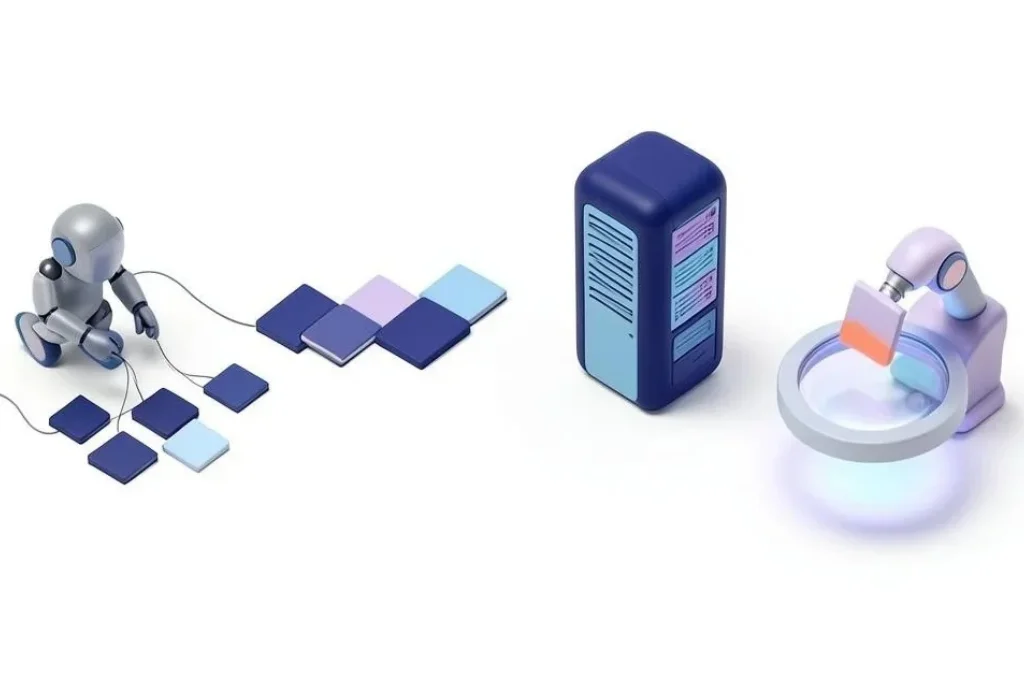
A crawl usually follows these four stages:
- Discover. The bot finds a URL from a link, a sitemap or a URL it has seen before.
- Queue. The URL joins a list of pages waiting to be visited. The search engine decides the order.
- Fetch. The bot requests the page from your server and downloads the response.
- Render. For pages that need it, Google runs the page in a recent version of Chrome so it can see content that JavaScript adds.
Where crawling stops
Crawling ends once the bot has the page content. What happens next is indexing, where the search engine decides what the page is about and whether to store it. Ranking is a third, separate step that happens when someone searches.
|
Stage |
What happens |
Who controls it |
How to check it |
|
Crawling |
The bot finds and fetches the page |
Your links, sitemap, server and robots.txt |
Crawl Stats report, server logs |
|
Indexing |
The search engine processes and stores the page |
Content quality, noindex tags, canonicals |
Page Indexing report in Search Console |
|
Ranking |
The search engine orders stored pages for a query |
Relevance, quality and many other signals |
Performance report in Search Console |
If a page is not indexed, do not assume it was not crawled. Check the stage first, then fix the stage that failed. Our post on what “indexed” actually means in Google covers the next step.
How search engines find your pages
Google finds pages from links on pages it already knows and from submitted lists such as sitemaps. Some other search engines also accept direct notifications. to learn that a URL exists.
Links
When a known page links to a new page, the bot can follow it. A page with no links pointing to it is called an orphan page, and it can be very slow to be found. Strong internal links help Google discover pages faster.
XML sitemaps
A sitemap is a file that lists the URLs you want crawled. It helps discovery, especially for new sites with few links. It does not force Google to crawl or index anything. See how XML sitemaps influence discovery.
Direct notifications
IndexNow lets a site tell participating search engines about changed URLs. Its FAQ lists Amazon, Bing, Naver, Seznam.cz, Yandex and Yep as participants, and Google is not on that list (IndexNow). IndexNow notifies those engines, such as Bing and Yandex. Google is not listed as a participant.
The bots that visit your site
Googlebot is the one most owners think of, but it is not the only visitor. Google says most of its crawl requests come from the mobile crawler, Googlebot Smartphone (Google Search Central).
AI companies run their own crawlers too. OpenAI, for example, uses separate bots for separate jobs, and each one has its own robots.txt setting (OpenAI).
|
Bot |
Owner |
What it does |
Effect of blocking it in robots.txt |
|
Googlebot (Smartphone and Desktop) |
|
Crawls pages for Google Search |
Pages cannot be crawled, and Google may not index their content |
|
Bingbot |
Microsoft |
Crawls pages for Bing |
Has its own robots.txt rules |
|
Google-Extended |
|
Separate Google crawler token |
Does not affect inclusion or ranking in Google Search |
|
GPTBot |
OpenAI |
Collects training data |
Stops training use, not ChatGPT search |
|
OAI-SearchBot |
OpenAI |
Surfaces sites in ChatGPT search |
Your site may not appear in ChatGPT search |
|
ChatGPT-User |
OpenAI |
Visits pages when a user asks |
Has its own robots.txt setting |
Two rows need explaining. Google confirms that Google-Extended does not affect inclusion or ranking in Google Search (Google). And blocking GPTBot does not remove you from ChatGPT search, because OAI-SearchBot handles that and has its own setting.
Decide each bot on its own. A blanket block also blocks OAI-SearchBot, the bot that surfaces sites in ChatGPT search.
How often Google crawls, and what changes it
There is no fixed schedule. Google’s crawling documentation says news homepages may be recrawled every few minutes, while other pages may wait a month (Google Crawling Infrastructure).
Three things move that rhythm.
- Your server’s health. Google lowers its crawl rate automatically when a site slows down or returns errors (Google Crawling Infrastructure). A 429 response is treated as overload, and 500 and other 5xx responses make Google slow crawling (Google).
- Links and freshness. Google decides how often to return, so a page with no links pointing to it is harder to revisit.
To understand how Google chooses what to fetch and when it returns, read how Googlebot decides what to crawl.
What blocks or wastes crawling
Some problems stop the bot entirely, and others waste its visits on pages that do not matter.
- Robots.txt rules that block too much. One wrong Disallow line can hide a whole folder. Learn how to write a robots.txt file without blocking the pages that matter.
- Server errors and slow responses. Repeated 5xx errors or 429 responses tell Google to back off.
- Redirect chains and loops. Each extra hop costs a request, and loops stop the bot completely.
- Broken internal links. They send bots to dead ends.
- Heavy JavaScript. If key content only appears after scripts run, it depends on rendering working well. See how Google renders JavaScript pages.
- Very large files. Googlebot crawls the first 2MB of a supported file and the first 64MB of a PDF, so content that sits beyond those points may be missed (Google Search Central).
- Filter and parameter URLs. Online stores can create thousands of near-duplicate URLs from filters, which waste crawl requests.
If you think Google is not visiting your pages at all, our checklist on why Google may not be crawling your site walks through the causes one by one.
Five crawling myths to stop believing
Some crawling advice is out of date or wrong. These five commonly repeated myths are corrected by Google’s own documentation.

Myth 1: Crawl-delay slows Google down
Google does not support the crawl-delay directive in robots.txt (Google). If your server is struggling, fix the server. Slow responses and errors already make Google reduce its pace.
Myth 2: Robots.txt keeps a page out of Google
It does not. Google says robots.txt is not a mechanism for keeping a web page out of Google, and a blocked URL can still be indexed if it is linked from elsewhere (Google). Use a noindex tag or password protection for pages that must stay out, and do not also block them in robots.txt, or Google cannot see the noindex.
Myth 3: The Indexing API speeds up any page
It is only for pages with JobPosting data, or BroadcastEvent inside a VideoObject (Google). For a normal service page or blog post, it is not the route.
Myth 4: Google cannot find you without Search Console
Google finds pages by following links from known pages or from submitted lists (Google). Search Console helps you submit sitemaps and check status, but a linked site can be discovered without it.
Myth 5: Every site must worry about crawl budget
Google’s crawl budget guide is written for sites with over a million pages that change weekly, or over 10,000 pages that change daily (Google). If that is not you, focus on links, speed and errors first. If you are unsure, our guide on what crawl budget is and when to worry about it helps you decide.
Crawling on UAE websites
The basics are the same in Dubai as anywhere. A few local patterns deserve extra care.
- Arabic URLs. Arabic characters in URLs are stored as percent-encoded text. Make sure links, sitemaps and canonical tags all use the same form of each URL.
- Bilingual sites. Keep English and Arabic versions linked to each other, and use hreflang pairs such as ar-AE and en-AE so the two versions are understood as a set. Our work on international and multilingual SEO covers this setup.
- Hosting far from the region. Google lowers its crawl rate when a site responds slowly, so check the response times Googlebot gets.
- Store filters. Fashion, electronics and real estate sites often generate filter URLs for size, colour, price and area. Review which of these deserve to be crawled.
If your catalogue is large, our technical SEO services include crawl reviews built for this kind of structure.
How to check that Google is crawling your pages
Search Console shows whether Google has visited a page and how the visit went. You can run this check in about ten minutes with Search Console.
- Open the URL Inspection tool and paste a page address. Look at the last crawl date and which Googlebot type crawled it.
- Open the Crawl Stats report under Settings. It shows crawl requests, download size, response time, host status, response codes, file types, crawl purpose and Googlebot type (Search Console Help).
- Look at host status and response codes. Rising 5xx or 429 responses are a warning that Google may slow down.
- Check the Page Indexing report for pages that were crawled but not indexed, or discovered but not crawled.
- Review your server logs if you want proof of exactly which bots visited and when.
Google notes that sites with fewer than 1,000 pages should not normally need the Crawl Stats report (Search Console Help). For a small site, URL Inspection and the Page Indexing report are usually enough. For deeper analysis, see our guide to log file analysis for SEO.
If the check turns up problems you cannot trace, our SEO audits and diagnostics team can review it with you.
Where to go next
Crawling is the base of technical SEO. One topic builds directly on it:
- Crawl budget vs crawl rate limit explains how Google balances demand and capacity.
FAQ
Crawling lets a search engine discover pages and read their content. Without crawling, the search engine has no page content to index.
Crawling is when a bot finds and fetches a page. Indexing is when the search engine processes that page and decides whether to store it. A page can be crawled and still not be indexed.
Imagine you publish a new service page and link to it from your homepage. Googlebot follows that link, requests the page from your server and reads it. That visit is the crawl. Whether the page then shows in search depends on indexing.
ChatGPT itself is a chatbot, not a crawler. OpenAI runs several crawlers, including GPTBot for training data, OAI-SearchBot for ChatGPT search and ChatGPT-User for visits triggered by a user. Each follows its own robots.txt setting.
Use the URL Inspection tool in Search Console to see the last crawl date for a page. The Crawl Stats report shows requests, response times and errors across your site.
An SEO crawler can mean two things. It can be a search engine bot such as Googlebot, or a tool such as Screaming Frog that crawls your own site so you can find broken links, redirects and other issues.
It varies. Google says some news homepages may be recrawled every few minutes, while other pages may wait a month. Server speed, errors, links and how often a page changes all affect the timing.
Sources
- Google Search Central: In-depth guide to how Google Search works
- Google Search Central: Googlebot
- Google Crawling Infrastructure: Things to know about Google’s web crawling
- Google Search Central: HTTP status codes and network errors
- Google Search Central: Crawl budget guide
- Google Search Central: Robots.txt specification
- Google Search Central: Introduction to robots.txt
- Google Search Central: Indexing API quickstart
- Google Search Central: Common Google crawlers
- OpenAI: Overview of OpenAI crawlers
- Search Console Help: Crawl Stats report
- IndexNow: FAQ