
Curating Brand Photography: Techniques for Impactful Visual Storytelling

Introduction
Brand photography curation is the deliberate, strategic selection of visual assets that embody a brand’s essence across every digital and physical touchpoint. In an era where consumers form visual impressions in under 50 milliseconds, how a brand “looks” directly affects how it is perceived. A curated collection of images doesn’t merely support marketing—it is the brand voice in pixels.
According to the Journal of Visual Communication, visual consistency can improve brand recognition by up to 65%, making curated photography not just an aesthetic exercise but a business imperative. Curation is not about having “pretty pictures”; it’s about having strategic, aligned, and emotionally resonant visuals that tell a cohesive brand story across platforms.
This concept is central to effective Visual Branding & Design, where photography works alongside typography, color, and layout to form a coherent visual system. Without intentional curation, even the best-designed brands risk sending mixed signals.
In this guide, we’ll break down the creative and strategic pillars of brand photography curation—from understanding the philosophy of visual selection to real-world workflows, use cases across industries, model management, and emotional resonance. You’ll also learn about tools, pricing strategies, and the growing business demand for visual storytelling systems that scale.
We’ll draw on expert insights, real Reddit discussions, and competitor strategies to create a complete blueprint for turning raw photo sets into visual systems that drive recognition, trust, and conversions.
What is Brand Photography Curation?
Brand photography curation is not merely about selecting beautiful images—it is about creating a visual language that speaks the brand’s values, tone, and personality with absolute clarity. Unlike general photography, which captures moments or aesthetics for artistic or documentary purposes, brand photography curation functions within the strategic framework of branding. Its job is to ensure every visual asset works toward a consistent, compelling identity.
In branding, consistency builds trust. Curated photography ensures that every image—from a homepage hero shot to an Instagram post—feels unmistakably “on brand.” This includes composition style, lighting, subjects, color palettes, emotions expressed, and even the type of lens used. Curated brand visuals aren’t just grouped—they are chosen with intentionality and strategy.
“Curation is not editing. It’s authorship,” writes Olaf in his seminal blog post “Photography is Curation”. Olaf argues that curation is an act of storytelling, a form of narrative building where the curator becomes the author of brand perception—not just the technician arranging photos. This perspective elevates brand photographers from executors to strategists.
Curation vs. Photography: The Key Difference
| Photography | Curation |
| Captures raw content | Selects & sequences final visuals |
| Often driven by aesthetics | Driven by brand strategy |
| Can be spontaneous | Must be intentional |
| Artistic expression | Narrative design |
A well-curated brand photography collection is like a museum exhibit—it guides the viewer through a structured emotional and informational journey. Each image builds upon the previous, reinforcing a central theme: who the brand is, what it values, and how it wants to be remembered.
Why It Matters
Uncurated imagery leads to:
- Confused brand identity
- Decreased audience trust
- Lower engagement on digital platforms
- Mismatched tone in campaigns
Curated imagery leads to:
- Increased recognition
- Cohesive storytelling
- Stronger brand recall
- A more professional, premium feel
In a digital economy driven by microseconds of attention, the visual coherence of your brand can make or break the first impression. Brand photography curation ensures that impression is purposeful, emotional, and unforgettable.
Why Brand Photography Curation Matters
In an increasingly visual marketplace, brand photography curation is more than just aesthetic refinement—it’s a strategic necessity. As consumers scroll through feeds, browse websites, or evaluate services online, they are subconsciously evaluating brand credibility based on visual signals. And those signals must be both cohesive and compelling to convert.
1. Builds Immediate Brand Recognition
A well-curated brand image collection enables consumers to recognize a brand instantly—even before reading the copy. Through consistent lighting, angles, color palette, subjects, and emotional tone, curated visuals embed a brand into visual memory. Just as Apple is associated with minimalist product shots on white backgrounds, your brand can shape its own visual shorthand.
“A brand is no longer what we tell the consumer it is—it is what consumers tell each other it is,” says Scott Cook, founder of Intuit. Curated photography ensures that what they say is consistent, repeatable, and desirable.
2. Reinforces Emotional Connection
Humans are wired to connect emotionally through visuals. Photos that evoke warmth, trust, excitement, or inspiration can forge stronger bonds than any ad copy. Curation plays a crucial role in selecting emotionally resonant images that align with a brand’s core promise.
- A mental health coach might curate soft-lit images of peaceful settings.
- A tech startup may choose bold, dynamic visuals showing collaboration and progress.
This emotional congruence turns passive viewers into emotionally invested followers.
3. Drives Higher Engagement and Conversion
Data shows that consistent visual presentation increases revenue by up to 23% (Forbes). On social platforms like Instagram, brands that use consistent visual themes and curated photography see up to 90% more engagement.
Why? Because curated content feels deliberate—and viewers reward clarity and trust.
Example: Gusto’s photography features real customers in warm, authentic environments, building a trustworthy tone. Dropbox pairs minimalist design with human-centered imagery to position itself as accessible and user-friendly. (source: Designer Fund)
4. Enables Scalability Across Channels
Without curation, brands face fragmentation. What looks good on Instagram may feel off-brand on LinkedIn or your homepage. A curated visual system ensures:
- Uniformity across email, print, ads, and social
- Easy delegation to design and content teams
- Time and cost savings in asset reuse
This is especially crucial for scaling brands that need brand integrity across global markets, remote teams, or franchise models.
5. Prevents Inconsistencies That Undermine Trust
Inconsistent imagery—like jumping between moody black-and-white shots and colorful lifestyle scenes—signals confusion. It breaks the customer’s subconscious trust.
Reddit Insight: “We kept changing our brand visuals, and people thought we were bought out. They literally asked, ‘Did your company get acquired?’”
Brand photography curation ensures that never happens. It provides a visual guardrail so every image chosen, created, or licensed supports your brand story.
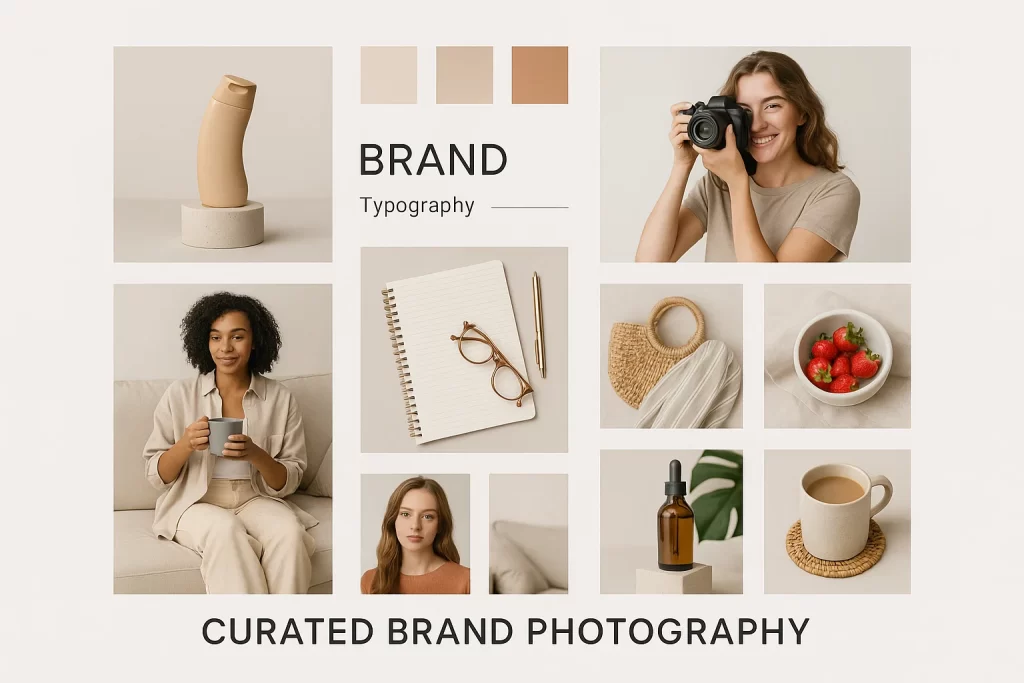
Core Principles of Effective Brand Photography Curation
Brand photography curation succeeds when it combines artistic excellence with strategic clarity. But without clear principles to guide decisions, curation can quickly descend into subjectivity or aesthetic bias. Below are the core pillars that ensure curated brand images remain on-message, on-tone, and on-brand.
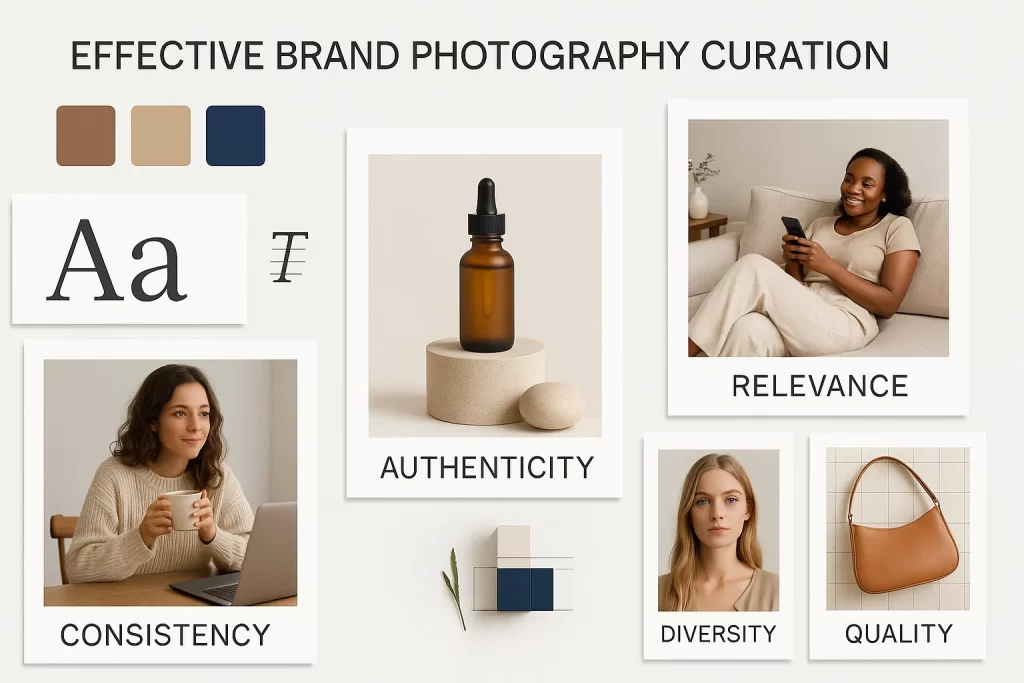
1. Consistency is Non-Negotiable
A curated visual collection should present a single, unified visual identity across all platforms. This includes:
- Lighting: Natural or studio? Soft or high-contrast?
- Color Treatment: Cool tones for luxury, warm tones for approachability?
- Framing & Composition: Are your shots wide, close-up, or detail-oriented?
- Subject Styling: Do models appear formal, friendly, lifestyle-oriented?
When these elements vary wildly, the brand loses visual integrity. Consistency doesn’t mean sameness—it means coherence. That’s why the best curators create visual rules that act like a brand’s grammar.
2. Authenticity Over Perfection
Perfection can alienate. Flawless, over-edited images often feel staged and unrelatable. Authenticity, on the other hand, builds connection.
Choose images that
- Show real moments (candid interactions, real customers, raw emotions)
- Reflect imperfections (wrinkles, clutter, spontaneity)
- Align with brand truths (not idealized fictions)
“The photos I curated for a wellness brand with visible stretch marks outperformed the airbrushed models by 3x in ad CTR,” shared one Reddit brand strategist.
Authenticity is the new premium.
3. Purpose-Driven Selection
Every image in a curated set should serve a strategic function. Ask:
- What role does this image play in the customer journey?
- What emotion or message does it reinforce?
- Where will this image be used?
Images chosen for “vibe” alone can weaken your narrative. Purpose grounds selection in strategy, not just style.
4. The Moodboard as a North Star
Curation is infinitely easier when guided by a moodboard and visual direction deck. These tools allow teams to evaluate photos against defined criteria rather than personal taste.
Include
- Color palette
- Sample photography (both good and “off-brand”)
- Fonts, iconography, and brand textures
- Brand tone descriptors (e.g., grounded, playful, refined)
5. Image Taxonomy and Metadata
Advanced brand curation systems use categorization frameworks to tag images by:
- Emotion (trust, happiness, ambition)
- Use case (social, email, packaging)
- Subject (product, people, location)
- Format (portrait, landscape, square)
This not only streamlines future usage but supports semantic visual alignment—ensuring you’re matching the right message to the right image.
6. Feedback Loops and A/B Testing
Curation is not static. Modern teams use performance data to refine their curated sets.
- A/B test visuals in email campaigns or social ads
- Use heatmaps on landing pages with different imagery
- Solicit team feedback: “Which photo feels more like us?”
Brand visuals are living systems, and the best curators evolve with data.
Product vs. Lifestyle Curation: Choosing the Right Direction
When it comes to brand photography curation, one of the most important strategic choices is deciding whether to lean into product-focused visuals or lifestyle-driven imagery. Both styles serve distinct branding goals and speak to different parts of the customer journey.
Understanding the Differences
Product photography curation is all about clarity, detail, and presentation. It showcases features, finishes, packaging, and use cases in clean, distraction-free environments. Think white backgrounds, flat lays, or isolated studio setups. This style is commonly used in e-commerce, catalogs, and product launch collateral.
By contrast, lifestyle photography places your product or service in real-life scenarios. It tells a story. The lighting is softer, the subjects are human, and the context speaks to your brand’s values, audience, and tone. Lifestyle images are especially effective in social media campaigns, hero banners, and brand storytelling content.
Strategic Use Cases
When to curate product imagery
- Launching a new product line or SKU
- Need for clean, standardized visuals across e-commerce platforms
- Demonstrating specific features or details
- Creating a consistent visual bank for catalogs or marketplaces
When to curate lifestyle visuals
- Building emotional resonance with the audience
- Telling your brand story through everyday use
- Promoting values like community, creativity, or wellness
- Showing your target audience using the product in aspirational contexts
Common Pitfalls to Avoid
One of the biggest mistakes brands make is over-indexing on one style. An online fashion brand that only curates flat-lay product images may miss the chance to connect emotionally through lifestyle storytelling. Conversely, brands that only rely on lifestyle imagery might find their sales pages lack the product clarity needed to convert.
Another misstep is using stock lifestyle photos that don’t match the brand’s tone, resulting in visual dissonance. As one Reddit user shared:
“I used stock lifestyle photos once that didn’t match our model lineup or color palette—my CEO noticed instantly. Never again.”
Tool Tip: Build a Balanced Library
Use curation platforms like (https://unsplash.com) or (https://pexels.com) for lifestyle inspiration and combine them with custom product shots that follow your brand photography style guide. Keep folders organized by format, tone, and use case—e.g., “E-commerce Product,” “Social Lifestyle,” “Story Series.”
Crafting a Brand Visual Style Guide
A strong brand doesn’t just look good—it looks cohesive. A brand visual style guide is the compass that ensures your photography remains aligned with your brand identity, no matter who’s behind the camera. Whether you’re a solopreneur managing your own content or an agency directing large-scale shoots, having a unified visual system is non-negotiable.
What Is a Brand Photography Style Guide?
It’s a documented system of rules, references, and examples that dictate how a brand should appear visually across all media. This includes:
- Lighting preferences
- Color palettes and grading styles
- Composition and framing
- Model diversity and poses
- Props and location cues
- Emotion or tone to convey
Think of it as a visual brand blueprint—a tool to ensure that every curated photo serves both the artistic vision and the marketing goal.
Why Is It Essential for Curation?
Without a style guide, brand photography curation becomes guesswork. Assets look inconsistent, visual identity weakens, and campaign synergy suffers. With one, it becomes a repeatable system that reinforces your brand narrative.
“The secret to brand trust is not just what you say—but how consistently your visuals say it,” says a creative director quoted in the Designer Fund’s piece on photo systems.
Core Components of a Style Guide
Let’s break down the anatomy of a robust brand photography guide:
1. Color and Tone
Define your dominant brand colors and how they influence photography. Should the imagery feel warm and earthy? Cool and futuristic? Include hex codes and reference images.
2. Subject Guidelines
Specify model types, demographics, interaction cues, and expressions. This ensures inclusive, on-brand human representation.
3. Lighting and Mood
Describe lighting setups—natural light vs. artificial, hard shadows vs. diffused softness.
4. Composition and Framing
Clarify your use of negative space, symmetry, focal length, and framing. Include crop ratios for different platforms (e.g., 1:1 for Instagram grid, 16:9 for hero banners).
5. Editing Standards
Provide Lightroom or VSCO presets if applicable, or reference your desired aesthetic with before/after comparisons.
Real-World Use Case
A digital agency in Dubai serving luxury real estate brands uses a rigid visual guide that mandates:
- Only golden-hour lighting
- No vertical shots
- Props limited to white porcelain and minimal florals
- Models facing away from the camera
This style guide becomes the visual DNA of every curated campaign, ensuring unmistakable brand signature across materials.
Common Mistake: Overcomplicating the System
Photographers on Reddit often share frustration when guides become too rigid or abstract:
“Client gave me 50 pages of visual rules but no examples. I still have no idea what ‘aspirational edge’ means in lighting terms.”
To avoid this, always pair each rule with visual examples, not just text.
The Curation Workflow: From Brief to Delivery
Behind every seamless brand photography curation lies a precise, repeatable workflow that blends creativity with strategy. Whether you’re managing content for a high-growth brand or running your own photography business, having a structured process prevents inconsistencies, saves time, and boosts collaboration.
This section walks you through the end-to-end curation pipeline—from first creative brief to delivering a polished visual asset library.
Step 1: Creative Brief & Discovery
Every curation journey begins with a deep understanding of the brand. This includes reviewing:
- Mission, vision, and voice
- Existing brand assets
- Campaign objectives
- Target audience persona
- Competitor positioning
Use tools like (https://notion.so) or (https://monday.com) to centralize these insights. Always ask clients to show—not just tell—what “on-brand” means to them. Ask for examples they love and hate.
Step 2: Moodboarding and Concept Development
Once discovery is complete, build a moodboard that reflects the intended visual direction. Combine references for:
- Lighting
- Pose and expression
- Environments
- Color tone
- Image texture
Use (https://pinterest.com) or Figma to arrange visual cues that guide every creative decision ahead.
“Moodboards are the most underrated trust-builder. When done right, clients say, ‘That’s exactly how I want it to feel,’” says art director Jamie Cho.
Step 3: Shoot Planning and Shot List
Draft a shot list that maps out the visuals needed to support the campaign or brand system. Organize by purpose:
- Hero images (homepage, billboard)
- Product close-ups
- Lifestyle moments
- Social media crops
Include framing notes, focal lengths, prop instructions, and location references. This document becomes the backbone of consistency.
Step 4: Image Curation and Review
After capturing (or sourcing) your images, curation begins. This is where strategy leads. Use the brief and style guide as your lens to:
- Eliminate visuals that feel off-brand
- Select only those images that support the brand narrative
- Ensure emotion, color, and composition align with the guide
Label everything clearly: “Approved,” “Alt,” “Not On-Brand.” Use Lightroom or Photo Mechanic for batch selection and comparison.
Step 5: Finalization, Editing & Naming Convention
Apply brand-specific editing styles—whether that’s a custom LUT, VSCO preset, or manual Lightroom process.
Step 6: Delivery & Organization
Distribute curated photos in structured folders, such as:
- Website Hero
- Instagram Grid
- Paid Ads
- Internal Use
Use cloud services like (https://dropbox.com) or (https://gusto.com) to organize and share. Include a final PDF guide summarizing selections, usage rights, and application tips.
Workflow Tools to Consider
- Trello: Map steps as a Kanban board
- Lightroom Classic: For fast image review and tagging
- Google Drive / Dropbox: Client-ready folders
- Figma: Embeddable visual guidelines
Original vs. Stock: Making the Right Choice
Every brand faces the question: Should we invest in original brand photography or curate stock imagery? The answer isn’t binary—it’s strategic. In fact, a high-performing visual system often blends both.
This section helps you make the right decision based on goals, budget, timeline, and branding precision. Whether you’re a startup curating your first asset bank or a designer revamping an enterprise system, you’ll learn how to use both original and stock without compromising consistency.
Original Photography: Total Control, High Investment
Original brand photography gives you the power to align every visual with your brand’s core aesthetic, tone, and audience. You’re not just taking pictures—you’re designing identity.
Pros
- Unique and exclusive to your brand
- Total creative direction over lighting, subjects, props, and editing
- Builds emotional authenticity with real faces, real environments
- Ideal for campaigns, websites, flagship products
Cons
- High production costs (photographer fees, models, locations)
- Time-intensive (scheduling, editing, approvals)
- Requires ongoing investment for freshness
“The ROI of custom brand photography is unmatched—especially for founder-led brands,” notes visual consultant Steph Dietz.
Stock Photography: Affordable, Fast, but Risky
Stock imagery has come a long way. With platforms like (https://unsplash.com), (https://pexels.com), and (https://stocksy.com), brands can access curated, high-resolution visuals—often free or low-cost.
Pros
- Fast access and deployment
- Cost-effective for startups and internal comms
- Wide variety of styles and industries
- Useful for background filler images or non-core assets
Cons
- Risk of overlap—competitors may use the same images
- Harder to match exact brand guidelines
- Limited control over mood, lighting, or ethnic diversity
- Often lacks the emotional authenticity of custom shoots
How to Make Stock Look On-Brand
Curating stock imagery isn’t just dragging files into a folder. It’s a thoughtful process of selection, editing, and adaptation. Here’s how to do it right:
- Match your visual tone guide
– Use editing presets to align color temperature, exposure, and sharpness. - Crop strategically
– Reframe images to emphasize your product, mood, or layout structure. - Add overlays or branded elements
– Use subtle logos, gradients, or textures to “own” the stock look. - Stay consistent in people and environments
– Choose the same models, lighting styles, or scene types to mimic continuity.
“Stock photos must be curated—not collected,” says brand strategist K Hyphena. “Otherwise, you’ll dilute the brand equity you’re trying to build.”
Use Cases That Blend Both
Most modern brands use a hybrid approach. For example:
- Use original lifestyle photos for campaigns and hero sections
- Use stock for blog headers, whitepapers, internal decks
- Use curated product shots for e-commerce and social ads
Reddit insight: “We found that editing stock to match our brand colors gave us 80% of the feel of custom—but at 10% of the cost.”
Decision Framework
Ask yourself:
- Is this asset customer-facing or internal?
- Does the image reflect core brand values or support content?
- Is speed more important than uniqueness for this campaign?
- Is the cost of doing it wrong higher than the shoot?
If the answer to the last question is “yes,” go original.
Common Mistakes in Brand Photo Curation
Even with the best intentions, many brands—and even seasoned photographers—make costly mistakes when curating their visual identity. These missteps can weaken brand recognition, confuse audiences, and cost time and money to fix. This section unpacks the most frequent brand photography curation errors, how to spot them early, and what to do instead.
1. Inconsistent Visual Tone
Your brand might have a color palette, but if your photos range from moody shadows to bright pastels without logic, your identity becomes incoherent. Inconsistent lighting, grading, or cropping is one of the fastest ways to erode visual trust.
Solution: Use a visual style guide with clear parameters for tone, exposure, color grading, and mood. If outsourcing, give every photographer the same pre-shoot brand kit.
2. Over-Reliance on Generic Stock
Not all stock is bad. But relying on overused, generic visuals that show models shaking hands or fake smiles in sterile offices can strip your brand of authenticity. This mistake is particularly harmful for startups and service-based brands that thrive on trust.
Solution: Curate stock that aligns with your brand tone and customize it with color overlays, text, or crops. Better yet, combine it with original lifestyle shots to build cohesion.
3. Skipping the Curation Step Entirely
A frequent issue among content creators and marketing teams is mistaking “organized folders” for actual curation. Curation is not about collecting every photo—it’s about editing, eliminating, and selecting with purpose.
“We dumped 300 edited shots in a Dropbox and told our designer to choose. That’s not a system,” one creative director confessed.
Solution: Define a shortlist (20–30 images max) per campaign. Label them based on use case—social, ecomm, email, hero banner, etc.
4. Failing to Plan for Image Use
A beautifully curated image can fall flat if it doesn’t work where it’s needed. Brands often select photos that don’t crop well for mobile, lack negative space for copy, or don’t adapt to 16:9 or 1:1 formats.
Solution: Always plan images based on final application: banners, thumbnails, print, or UI elements. Mockup your assets in real placements before finalizing.
5. Ignoring Diversity and Representation
Today’s audiences are hyper-aware of visual inclusion. If your curated visuals exclude gender diversity, race, age, or ability, you send an unspoken message about who your brand serves—or doesn’t.
Solution: Build diversity into your moodboards and casting calls. Avoid tokenism by curating images that show people engaged authentically, not as props.
6. Letting Multiple Departments Curate Separately
Without centralization, visual assets get chosen based on individual taste, not brand strategy. Marketing might favor polished product shots, while the UX team prefers lifestyle imagery with white space. The result? Fragmented storytelling.
Solution: Create a shared visual asset library with locked top-tier photos. Use tools like (https://dropbox.com) or (https://bynder.com) for access control and audit logs.
Pricing and Positioning Your Curation Service
For photographers, strategists, and creative consultants, brand photography curation isn’t just a deliverable—it’s a premium service that commands premium pricing. But many professionals struggle to articulate its value or fear clients won’t “get it.” This section breaks down how to package, price, and position your curation offering as a strategic, revenue-driving asset.
Why Curation Is More Than Photography
When clients pay for photography, they expect beautiful images. But when they invest in curation, they’re buying:
- Brand alignment
- Audience connection
- Strategic consistency
- Visual storytelling across platforms
Curation is intellectual property + creative vision, not just files in a folder.
Pricing Models That Work
You can price brand photography curation in several ways
1. Flat Rate per Campaign
Ideal for small businesses or product launches.
- Includes: discovery session, moodboard, shoot brief, image selection, export + delivery
- Example: $1,500–$3,000 per campaign
2. Monthly Retainers
For brands needing continuous visual updates.
- Includes: ongoing sourcing, selection, quarterly visual audits, Dropbox delivery
- Example: $800–$2,500/month
3. Add-On to Photography Packages
Upsell during shoots as an optional system upgrade.
- Add 25–40% markup for curated delivery vs. raw image dump
4. VIP Strategy Days
1:1 sessions that guide founders through building their own curated image bank.
- Includes coaching, setup, file systems
- Price point: $2,000–$5,000 per day
How to Communicate the Value
Avoid technical jargon and focus on outcomes:
- “Never waste time searching for the right image again”
- “Stay visually consistent across every touchpoint”
- “Tell your brand story in seconds—without needing to explain it”
Overcoming Pricing Objections
Reframe the offer
- Ask: “Do you want beautiful photos or a visual system that builds trust and converts?”
- Show examples of curated vs. raw sets
- Emphasize how curated systems save them money on marketing redesigns, inconsistent campaigns, and reshoots
FAQ
1. How do I curate brand photography for consistency?
Consistency starts with a clear visual style guide and strategic curation rules. All images—stock or original—should pass a checklist:
- Does it match your color tone and lighting style?
- Is the emotion or energy in line with your brand’s tone of voice?
- Will it feel cohesive next to your existing assets?
Use folders for approved imagery only, and limit campaigns to a small, curated pool (20–30 visuals max)
2. What are the best practices for brand photography curation in fashion and retail?
For fashion and retail brands, curated visuals must blend product detail shots with lifestyle brand storytelling. Use consistent backdrops, body language, and color grading.
- Showcase movement and fit in lifestyle
- Highlight textures, stitching, and labels in close-ups
- Avoid over-posed or overly edited images that feel inauthentic
Pro tip: Build seasonal visual banks (e.g., “Fall Drop 2025”) for fast campaign reuse.
3.Can I mix stock and custom photos in my brand system?
Yes, but do it strategically. Stock should not dilute your identity. Instead:
- Use it as filler (e.g., backgrounds, abstract textures, UI banners)
- Apply color overlays or subtle filters to match your custom photos
- Avoid using stock with faces unless you control representation, lighting, and mood
4. How much should I charge for curating brand visuals?
Pricing varies depending on your scope. If you’re just selecting images, $500–$800 per batch is fair. For strategy, style guides, and system design, packages should start at $1,500+ and scale up.
Bundle this with photography, content strategy, or design to increase perceived value.
5. What visuals should be in every brand’s curated photo library?
At minimum, your curated photo bank should include:
- 3–5 hero shots for website or marketing
- 10–15 lifestyle images with your ideal customer profile
- 5–10 product-focused shots
- 5 brand-toned background or filler visuals
Label all assets with usage tags like: Homepage, Instagram, Ebook, AdSet.
Conclusion
In a crowded visual world, brands aren’t remembered because they post the most photos—they’re remembered because they curate the right ones. Brand photography curation is more than a creative exercise; it’s a strategic system that aligns visuals with messaging, audience emotions, and market expectations.
Whether you’re a solopreneur building your first photo bank, a photographer offering premium services, or a brand manager trying to unify scattered content—curation gives you clarity, efficiency, and control. When done right, it doesn’t just improve the look of your brand—it transforms how people feel about it.
Start with a solid style guide. Invest in quality assets. Eliminate the clutter. And most importantly—let your visuals speak with the same confidence as your brand.